
Are you running into problems with your Apple device? No worries. With the Apple Support app, you can quickly answer your question or speak to someone from Apple. You can also easily schedule appointments to have your device repaired.
What to do if Apple Pay isn't working? How do you use a hotspot? And what if you lost an AirPod? The Apple Support app will help you out. This app from Apple answers most questions, puts you through to an Apple expert or lets you schedule an appointment at the Genius Bar. The great thing is that this app is free to use, even if you have not taken out Apple Care +. In this article we explain exactly what the app can do and how you can find a solution to your problem via the app.
- Download
- Functions
- Fix it yourself
- Request support
- Schedule repairs via the app
Download Apple Support app
If you want to download the Apple Support app, you can find it for free from the App Store. The Apple Support app is optimized for iPhone and iPad and requires iOS 13.1 or later, so it works on most devices. Apple adds new features from time to time, such as support for Wallet and viewing your devices.
Looking for support from the Mac? Unfortunately, the Apple Support app is not available on Mac. Instead, you can go to the Apple Support website to get help.
Apple Support app features
Here are the main features of the Apple Support app in brief:
- Overview of all devices with your Apple ID (including serial numbers)
- Check the coverage and warranty of your products
- Get help with problems
- Make an appointment for a repair and maintenance
- Contact Apple Support (chat or phone)
- View recent support activity
- Additional information about settings, capabilities, and more for Apple devices and services
- Support for Wallet to access your appointments at Genius Bar
- With light and dark mode
Fix it yourself with the Apple Support app
The Apple Support app is a collection of practical questions about using and managing Apple products and services. The content of the app is tailored to your Apple ID, so you only see your devices and relevant information. Tap the device you want to know more about or browse the recommendations, for example to update your device.

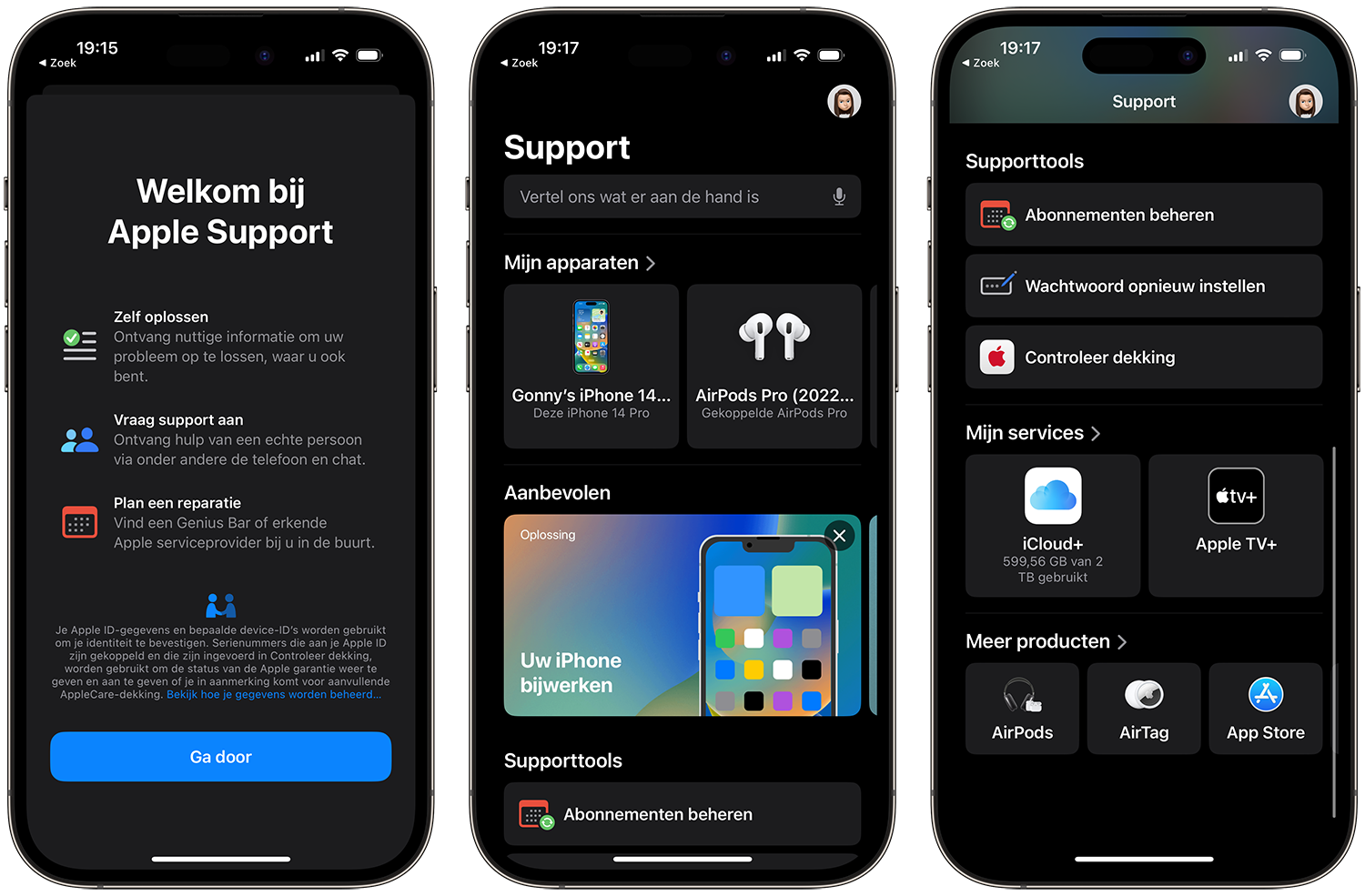

The Apple Support app covers a wide variety of topics. These are some sample questions that the app answers, among others:
- How do I use and manage the storage of my iCloud?
- How do I configure an Apple Watch?< /li>
- How do I manage my Apple ID?
- How do I manage payments for subscriptions like Apple One or Apple Arcade?
- How do you back up and restore?< /li>
- How do I pair a controller with my Apple TV?
The app categorizes all topics, making it quick and easy to find a solution to your problem. Can't find what you're looking for? Find the device or accessory and see what support options are available. For example, you can read instructions on how to replace the battery of your AirTag.


Contact Apple
It may be that the support articles do not provide a solution to your problem. In that case, you can submit your question to the experts at Apple. You can contact Apple Support for remote assistance via phone or chat. If you have opted for the chat function, it may take a while before you get to speak to someone. The waiting time is indicated in the chat.
See also 




How to contact Apple Support
If you have a problem with an Apple product, there are several places you can go to solve the problem. In this article we explain how to contact Apple Support, customer service and helpdesk.
Schedule repairs through the app
You can also consult the Apple Support app for hardware problems. For example, if your iPhone screen is cracked, you've lost an AirPod, or your MacBook's keys aren't responding properly, you can use the app to arrange an appointment at a Genius Bar or Apple Authorized Service Provider near you. But if you want to use one of Apple's repair programs, you can also make an appointment via the Apple Support app.
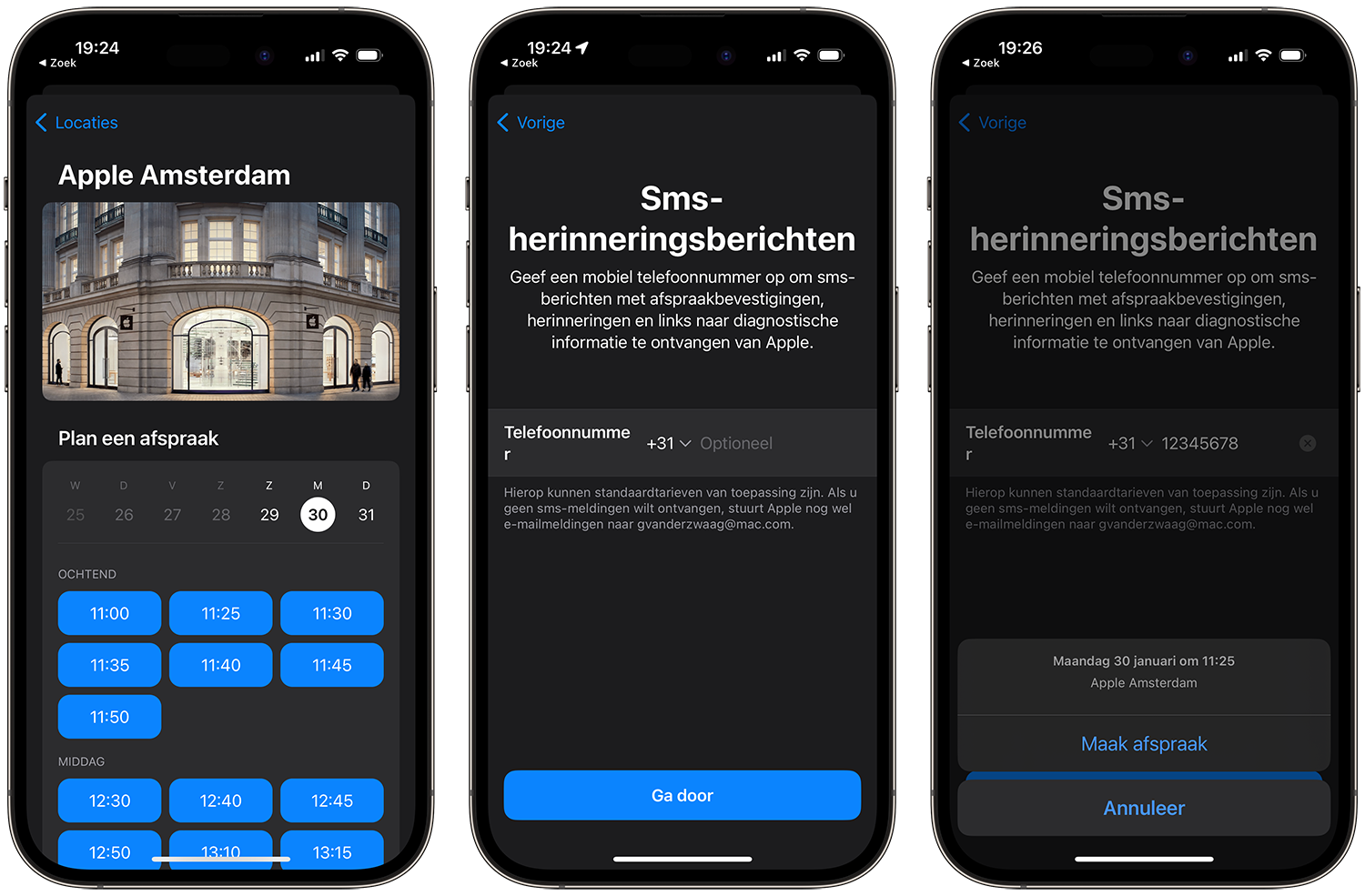
You can schedule an appointment from the app. To do this, press the link Deliver for repair, choose a location and time and confirm your appointment.

See also 


How to make an appointment with the Apple Store Genius Bar or an authorized service provider < /h3>Have a problem with your iPhone, iPad or Mac? Then you can go to the Apple Store. Make an appointment with the Genius Bar, so that you can go to your problem at a time of your choosing.
More help with your Apple devices
Can't quite figure it out? Can't find an answer to your problems in the app? Then you will find many more articles on iCulture that can help you, such as this one:
- iPhone repair: what are the costs and best options?
- AirPods problems: the best solutions for bad audio, connection and battery life
- AirPods Max problems: here's what you can do for bad sound, condensation, bad battery and more
- Is your Mac having problems with Wi-Fi or Bluetooth? Try these solutions
- Solve Wi-Fi problems on your iPhone and iPad
- Top up App Store credit with iDEAL not working? Here's what you can do about it
- Charging iPhone doesn't work: 5 tips if charging doesn't work
- Home button iPhone broken? Try this step-by-step plan with 5 solutions
- What to do if your iPhone's side button is broken