Users are fleeing Twitter on a large scale. The most obvious is Mastodon, an open source Twitter alternative. But which apps do you need to use Mastodon properly? There were already a lot of apps and more are coming.
Mastodon apps for iPhone, iPad and Mac
We already wrote about Mastodon in 2017, when it was already starting to get on the radar. Due to unrest at Twitter, this alternative social network has exploded. There are now 2.5 million monthly visitors and many people switch. Mastodon's success has also prompted app makers to get started with apps for Mastodon. In this guide we take you through the most famous Mastodon apps for the iPhone.
- Ivory by Tapbots (in beta)
- Mammoth by Aviary (in beta)
- Metatext
- Toot!
- Mastodon
- Mast
- Mercury
- Tootle
- More Mastodon Apps
There were already several apps for Mastodon such as MetaText, Tootle, Toot!, Mast, Mastoot, Tusky, Mercury and more. The developers of these apps have gone to great lengths with additional features and updates. Often they were hobby projects, but the makers now realize that they serve a much larger user group and that it might make sense to work on the apps full time. Recently, the makers of existing Twitter apps such as Tweetbot and Aviary have also started working on apps for switchers. Former Twitter users will feel more at home with these apps in the ‘fediverse’, the interconnected servers that run Mastodon. You can read which one suits you in this round-up!
Of course you will also find iCulture on Mastodon, since 2017! Follow us at @iCulture@mastodon.social.


Ivory by Tapbots: familiar features
We'll start with an app that's still in beta. Ivory is made by Tapbots, the well-known developer of the Tweetbot apps. Developer Paul Haddad wants to make sure the Mastodon app provides much the same experience, with quick access to your timeline, mentions, favorites, search, trends, and user profile. You can customize the buttons yourself and can mute topics you're not interested in. This helps you ignore the constant stream of messages about Elon Musk, for example, if you have left Twitter behind. It is striking that you do not see any statistics, such as the number of retweets (or ‘boosts’ in Mastodon terms) or the number of times your message has been liked. This is done to keep the interface as clean as possible.


Instead of tweeting, you will also have to get used to a new term: tooting. The icon for a new message is therefore a cone. For the rest, the app should resemble Tweetbot as much as possible. Once a version 1.0 is ready, the developer will work on features specific to Mastodon. Tapbots will develop Ivory parallel to Tweetbot, because a lot of code is the same. A Mac version will also follow. In any case, the interest is enormous, because the beta via TestFlight will soon be full: in 13 seconds the 1000 available test slots were filled. Like the other Tapbots software, Ivory will become a paid app and that may put some people off, as most of the other apps are free.
More info via the Ivory account on Mastodon. The TestFlight beta for Ivory is full.
Aviary's Mammoth: more attuned to iOS
Another well-known third-party app developer has also dived into Mastodon. Shihab Mehboob is known for the Aviary app for Twitter, but is now also working on a Mastodon app called Mammoth. This will also be a paid app and will include the latest Mastodon features as they become available. This gives you the option to edit posts and clear your history. There will be versions for iPhone, iPad and Mac. Mehboob came up with the idea because of the success of Mastodon, but also because existing apps fell short and weren't tailored to iOS. Mammoth has taken iOS design and ease of use into account. You can publish posts as posts, view them in AR, and change various settings.

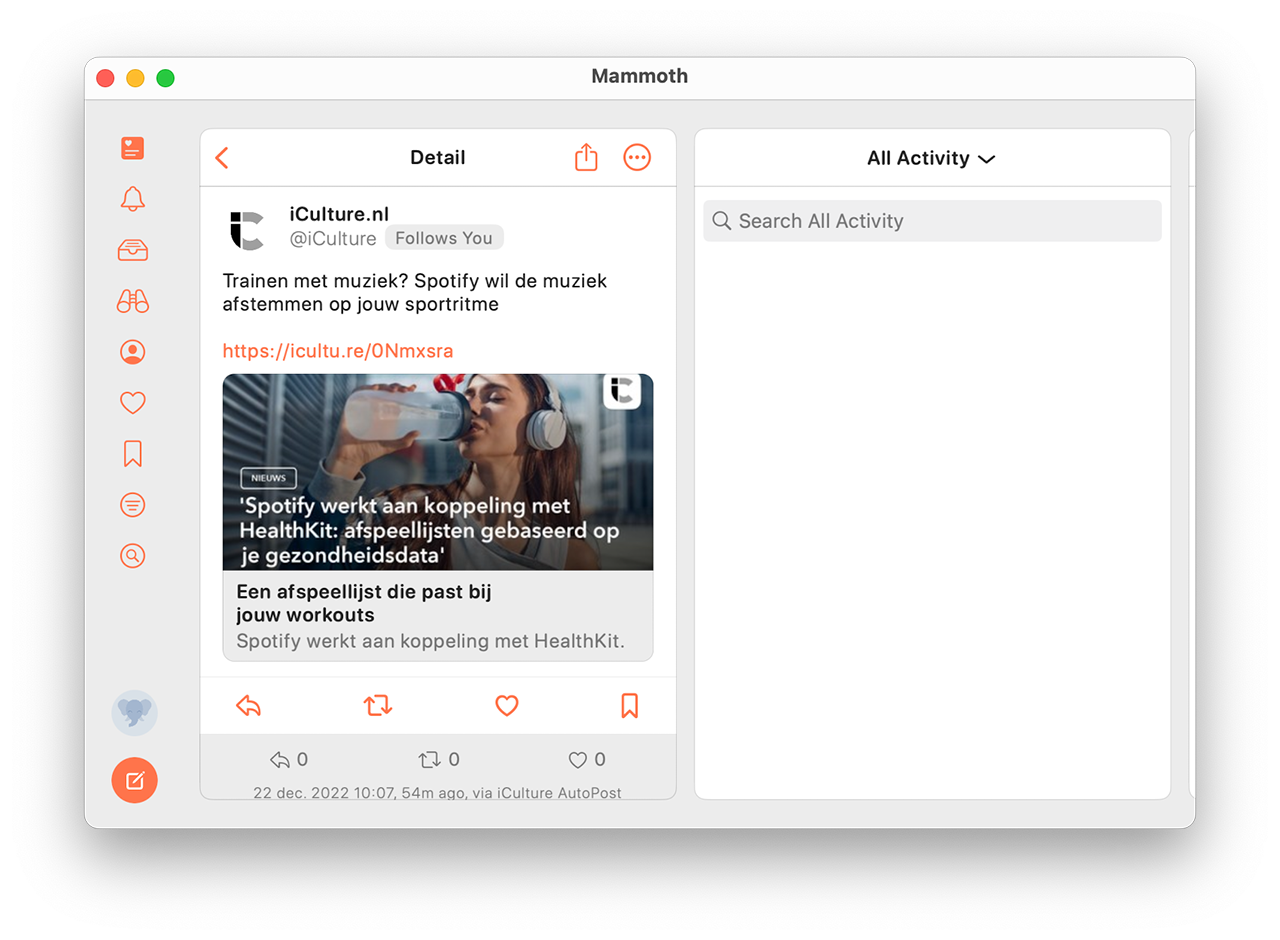
That Twitter developers are now focusing on Mastodon apps is a logical development. Many of them have lost their contacts and technical connections at Twitter, jeopardizing further development of their third party Twitter apps. This is also the case with Aviary, so there is a good chance that the developer will now mainly focus on Mammoth. Mehboob was also involved in the Mast app, which we will discuss later, but not anymore.
Mammoth is also in beta via TestFlight.
Metatext: the first choice for many people
Metatext is an app often referred to as theé app for Mastodon users. Metatext is the largest decentralized social network. Instead of a single website, it consists of many independent networks with millions of users that can easily connect with each other. At Metatext you become a member of a community and build a profile. You find users who match your interests and see what they post in an ad-free timeline. You can also contribute in messages of up to 500 characters, photos, videos, gifs and audio. You can also repost content from other users and reply to existing discussions. The app offers suggestions for active accounts and trending topics and tags for you to follow.

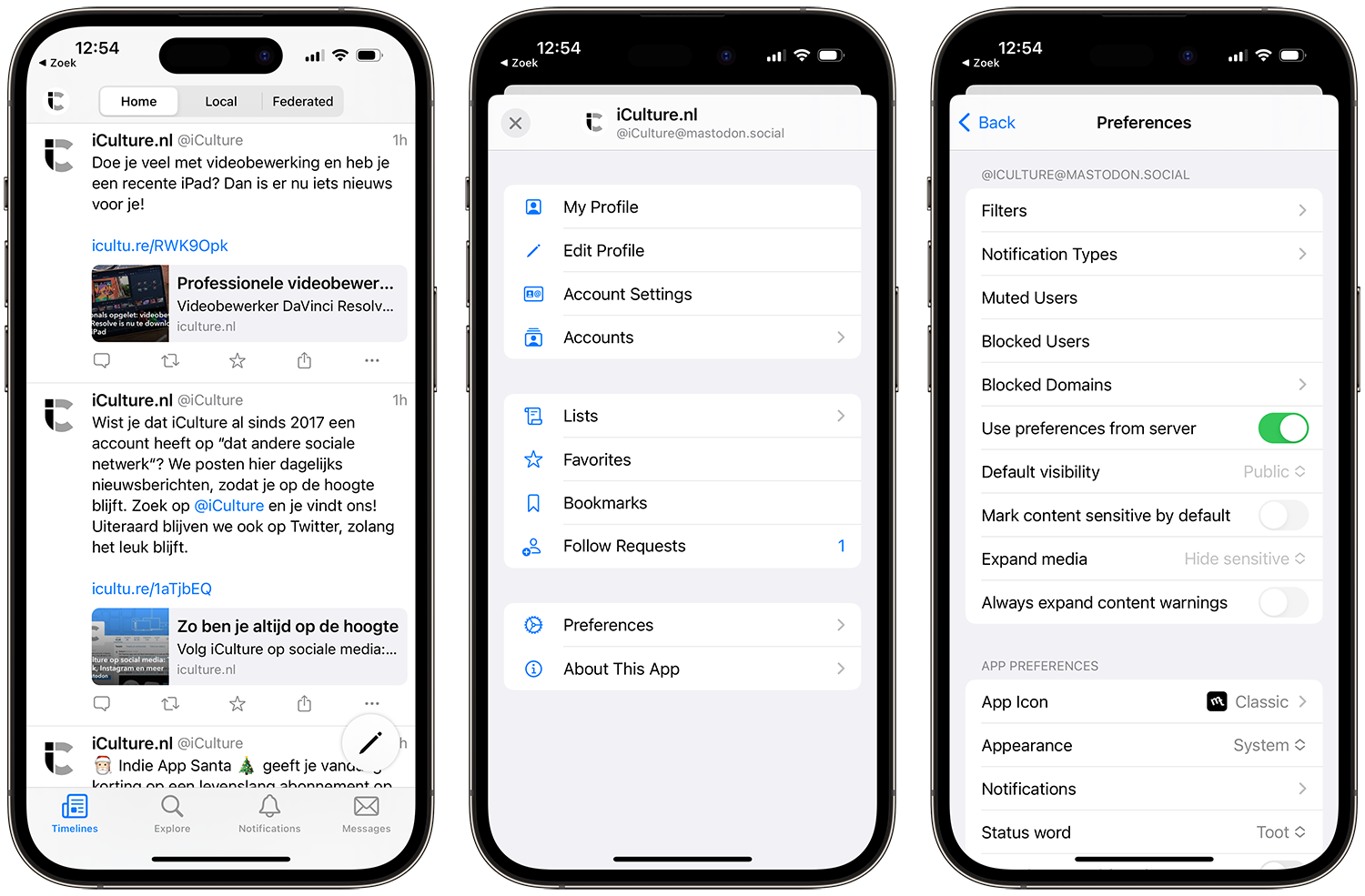
The Metatext app also includes a dark mode and polls. The interface is clean and intuitive, which is one of the reasons why this app has a fairly high rating in the App Store. Users also like the fact that the app is quick and easy to use, has no ads, and doesn't do any tracking or algorithms. Is this the best app for Mastodon? You can judge that yourself. At least it's free.
Toot!: also very popular
People who don't use Metatext often end up with Toot!, the other frequently mentioned alternative. This app costs a few euros and that gives the developer the opportunity to put a lot of time and effort into it. The design and animations look great and the user interface has details that have been well thought out. The app is fast and powerful and gives you the option to switch between accounts. There are filters to zoom in on what you're looking for and even the audible notifications are well thought out. There are new features in every update. If you're just starting out with Mastodon, Toot! off quickly. The app shows no ads and contains no tracking.
Mastodon: the official app
Mastodon can be reached via a web browser or via the official app for iPhone and iPad. The organization behind it is not dependent on investors, but exists thanks to crowdfunding, donations and sponsorship. The platform is ad-free and does not store any user data. This also applies to the official apps, which are made by the Mastodon developers. However, the app lacks some crucial functions (such as a timeline), so you may still have to rely on third-party apps. If you just created a Mastodon account to “fit in”, without doing much with it, the official Mastodon app may be enough for you. We did notice that the large influx of users can sometimes cause some errors.


In the app you can join a community and create your profile. Then you look for interesting people. You can view their posts in a chronological timeline, without commercials. Mastodon therefore does not work with algorithms. You can write messages that can be up to 500 characters long. You can reblog replies in threads and posts you like to share further. Trending hashtags help you expand your network. The focus at Mastodon is on privacy and security. You can therefore choose whether your posts are shared only with your followers, only the people you mentioned, or the whole world. With content warnings, the app tries to prevent you from seeing messages with unwanted content. Each community has its own guidelines and moderators. Abuse will be penalized by blocking your account.
The app has a dark mode, polls, trending hashtags and notifications for new followers, replies and reblogs. You can also share directly via the iOS share menu.
Mast: not recommended
Mast looks a bit different from the other apps we discuss and also had a lot of bugs in the beginning. The app is also a bit slower in loading content. And the app also hasn't had an update in two years, as the developer is apparently too busy with its other apps (which you can check out here). Mast was once made by Shihab Mehboob, who we mentioned at the beginning of this guide as the creator of Mammoth. He transferred the app to someone else in 2021 and is no longer involved.
Given the fact that this app costs money, we are a bit disappointed with the possibilities. Well, there is even an Apple Watch app and it works with one purchase on all platforms (iPhone, iPad and Mac) but the fact that all of Apple's design guidelines have been followed does not outweigh the fact that there are still some bugs in it. That's not how the search system works at all.
The developer writes: “I’m constantly evolving and crafting Mast to create the perfect Mastodon app for you. If you have any suggestions or feedback, I’d love to hear it!” That may be the case, but little seems to come of it. Only consider this app if you have very specific needs, such as using Mastodon on your Apple Watch.
Mercury: filtered timelines
Mercury is a relatively new app that launched in 2020 and contains no ads. The biggest downside is that it is only available on the iPhone, but it works very well there. You can view your timeline and keep track of everything with simple filters and swipes. For example, with filtered timelines you can only see your direct messages.

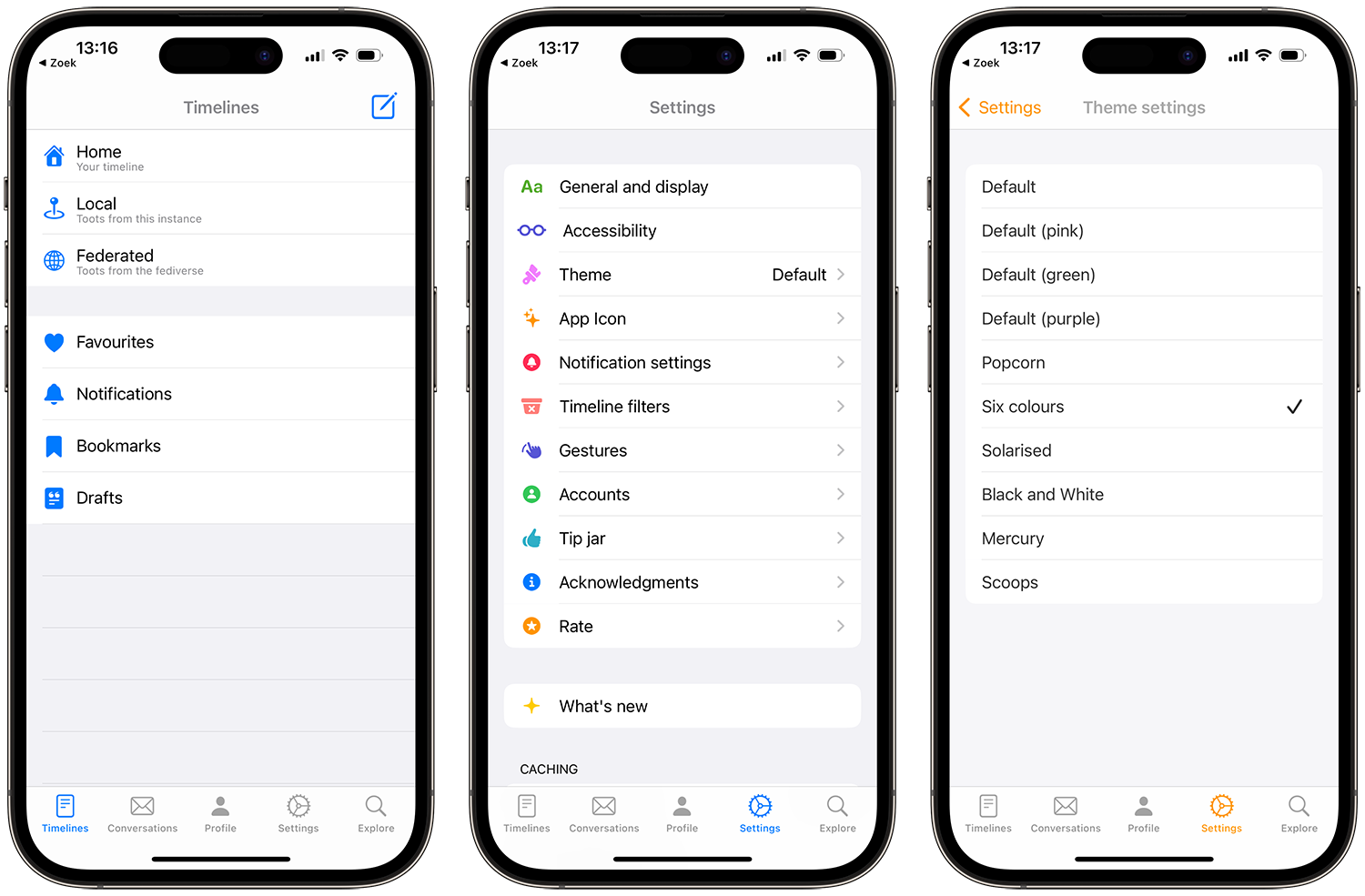
Due to the swipe movements, the app also has fewer buttons and links, making it clearer. You can also adjust these swipe movements to your liking. The themes and emoji are also customizable and you can save a list of hashtags to quickly find specific content. You can create filters for your personal timelines, so it never gets too busy. And it works with multiple accounts.
Tootle: old-timer
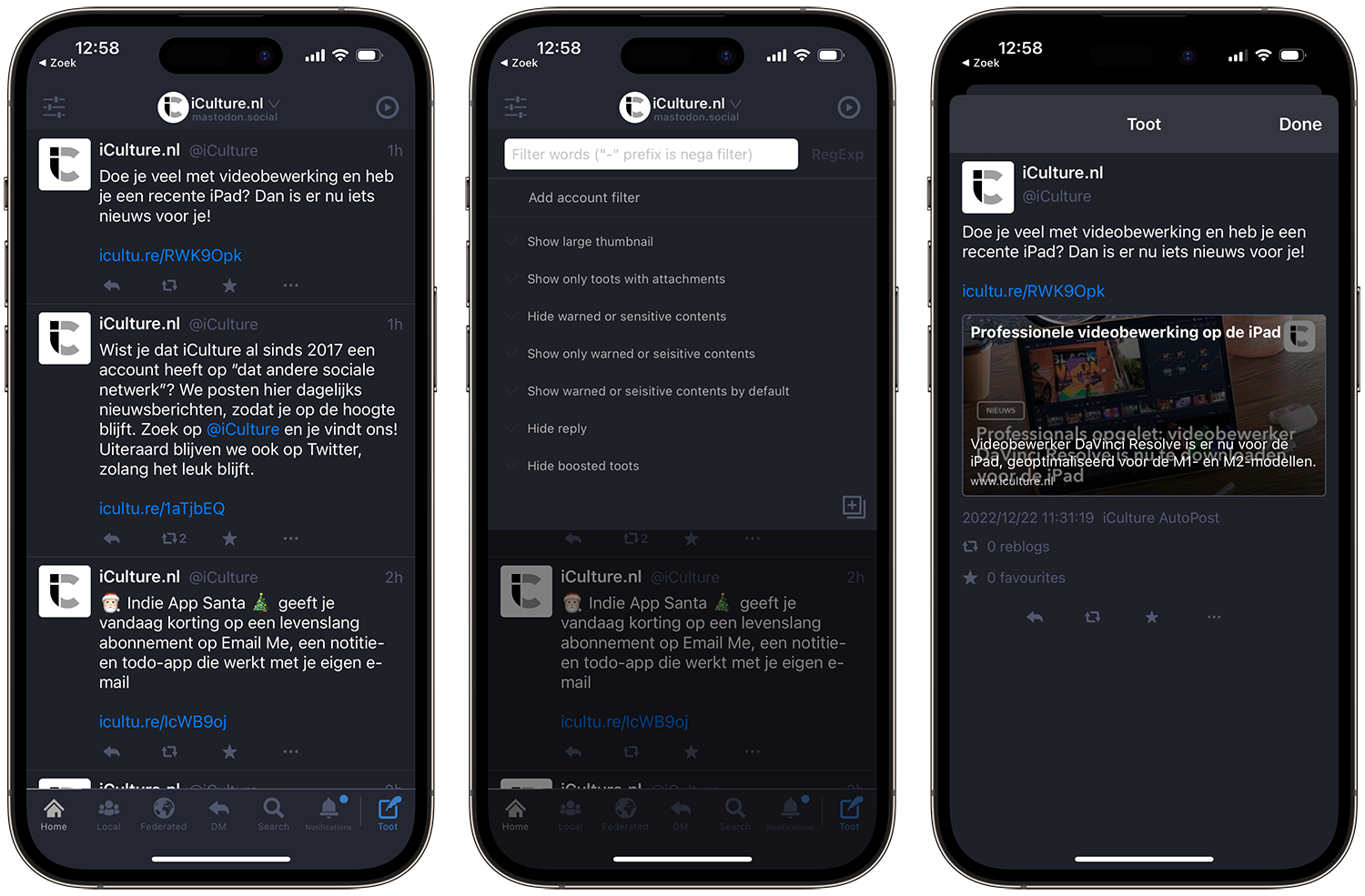
An app that has been around for a while, specially designed for iPad, but can also be used on iPhone. The user interface is customizable and you can save drafts before submitting. You can also customize your timeline. Works with multiple accounts but unfortunately gets few updates.
Tootle for Mastodon (Free, iPhone/iPad + IAP, iOS 9.2+) –

More apps for Mastodon
There are many more apps for Mastodon. Below we briefly introduce them to you. You can also find an extensive list on GitHub, which is updated regularly.
- iMast (Free, iPhone/iPad, iOS 16.0+) – Open source and built entirely in Swift, but requires some knowledge of Japanese. Works with handy shortcuts and has Siri Shortcuts.
- Oyakodon for Mastodon (Free, iPhone/iPad + IAP, iOS 9.3+) – A Mastodon client with multiple instances (up to 5). You can switch between instances by swiping. Unfortunately, it hasn't been updated for four years.
- Mastoot (Free, iPhone/iPad, iOS 16.0+) – A simple app for Mastodon, updated regularly.
Do you have more suggestions for apps that you liked? Let us know!
See also 


Time to go? Get cozy again with these Twitter alternatives
Tired of Twitter? Then take a look at these alternatives, which also allow you to stay in touch with like-minded people and talk about topics that concern you. Almost all of them have apps for iPhone and iPad!