
The TerraMaster T6-423 NAS offers space for six drives and two M.2 NVMe SSDs. With two 2.5 gigabit network connections, USB with 10 Gbit/s and HDMI, it also offers interesting options apart from the Intel Celeron N5095 and the 4 gigabytes of RAM, which are packed into a housing almost completely made of metal – but there is still potential.< /p> Table of contents
- 1 Compact metal NAS for 6 drives and SSD storage
- A 6 -Bay-NAS in the test
- Technical details of the TerraMaster T6-423
- TOS 5 with btrfs, WORM and virtualization
- Windows via USB stick
- 2 transfer rates, link aggregation and USB backup
- Seagate IronWolf Pro 20 TB for more performance
- File transfer
- Encryption
- Link aggregation
- USB backup
- 3 SSD cache, volume and power consumption
- SSD cache with NVMe SSDs
- SSD cache when using link aggregation
- Volume & Power consumption
- Price comparison
- 4 NVMe SSDs as storage pool and conclusion
- NVMe SSDs as a storage pool instead of HDDs
- Conclusion
On 6-Bay NAS Review
The NAS system TerraMaster T6-423 is the big brother of the already tested TerraMaster F4-423 (test). Instead of four, up to six 3.5 or 2.5 inch drives can be used. The system sticks to the Intel Celeron N5105/N5095, 4 gigabytes of expandable RAM, the two M.2 slots for an SSD cache or an SSD storage pool and two 2.5 gigabit network ports, just like the F4-423, but is different both differ significantly from these technical data.
The Celeron processor, which supports hardware transcoding for H.264, H.265, MPEG-4 and VC-1, and the faster Ethernet connections allow a comparison to the Synology DS923+ (test) to be made, despite the larger number of usable drives , which lacks exactly these two points at a non-binding price of 630 euros. The TerraMaster T6-423, on the other hand, starts for EUR 699.99*. In addition to the T6-423 with an external 120-watt power supply, buyers receive two network cables and screws for attaching 2.5-inch drives. As usual, the customer must also purchase suitable HDDs or SSDs.
Technical details of the TerraMaster T6-423
A NAS made of metal and metal
It was already mentioned at the beginning that the T6-423 is based on uses the same technical basis as the F4-423 for up to four drives. Externally, however, the T6-423 is designed as a tower NAS and differs significantly from the F4-423 in terms of appearance, look, feel and processing quality.
The T6-423 relies on metal – everywhere. The entire case is made of metal, the drive frames are almost entirely made of metal and the front is also made of metal. At 3.9 kg without drives, the NAS weighs an impressive amount. The larger part of the F4-423 is also made of metal, but the front and back are made of plastic. The black and silver design of the T6-423 also looks a lot better and leaves nothing to be desired in terms of workmanship. The design is also compact with dimensions of 226.0 × 130.0 × 218.0 mm due to almost seamlessly adjacent drive sleds.

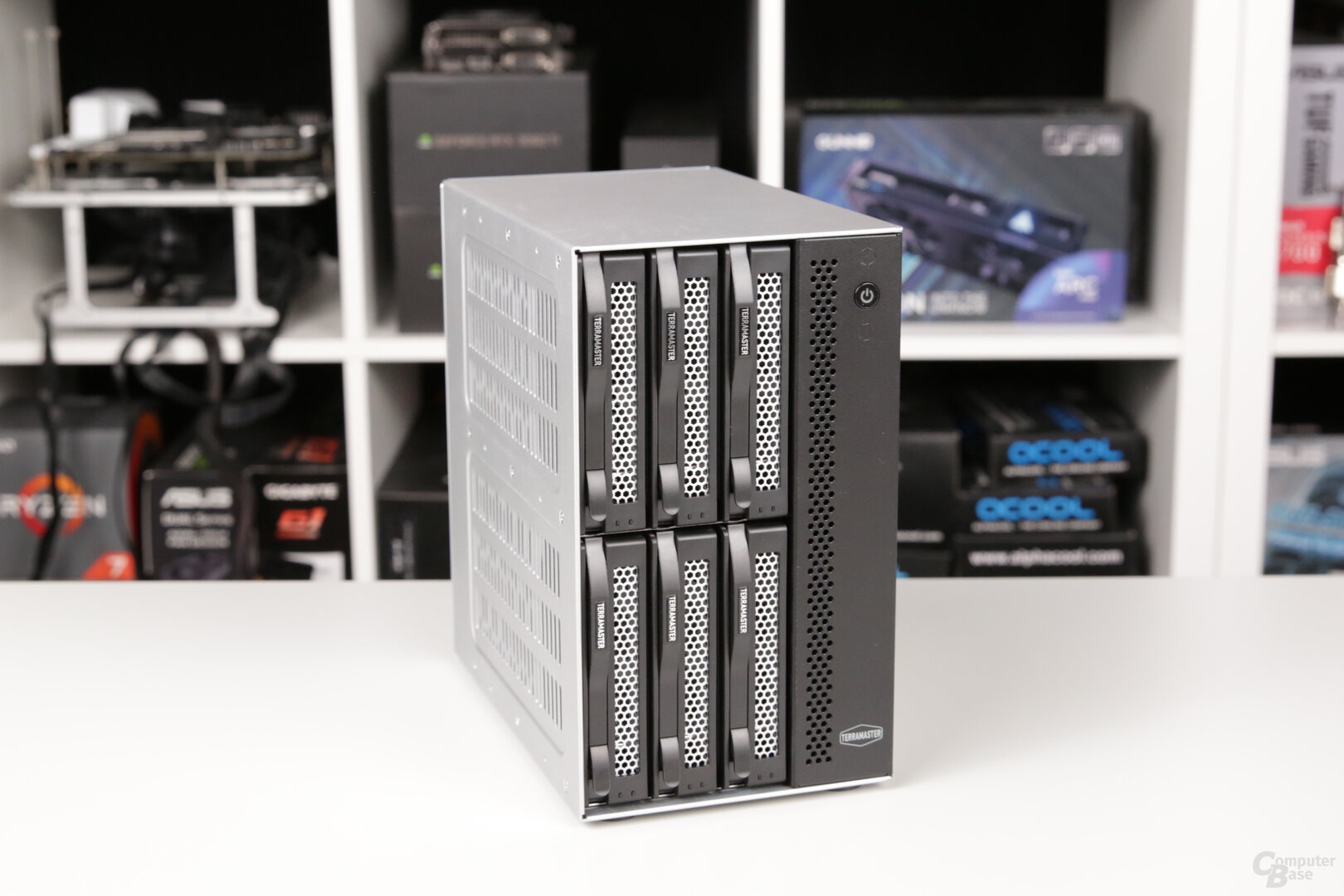
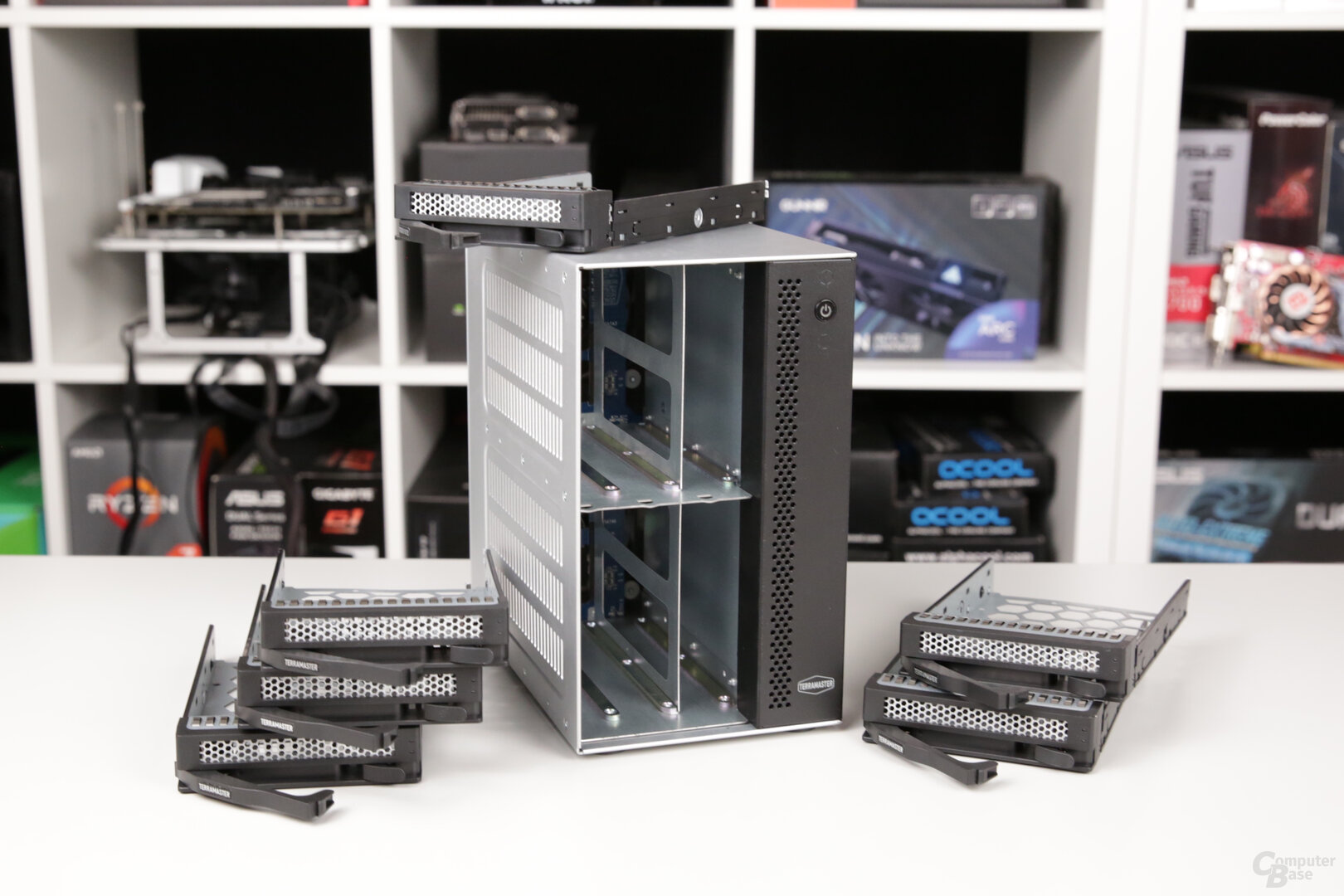

Even if it is for the operation of the NAS is ultimately irrelevant what kind of housing it is in, the “industrial design” of the T6-423 makes it look much better than the plastic housing of a DS923+.
Designed as a tower NAS, the T6-423 should be operated standing. However, TerraMaster does include feet that can be glued to the vented side of the NAS to also stand it on its side.
Two 80 mm fans primarily cool the HDDs
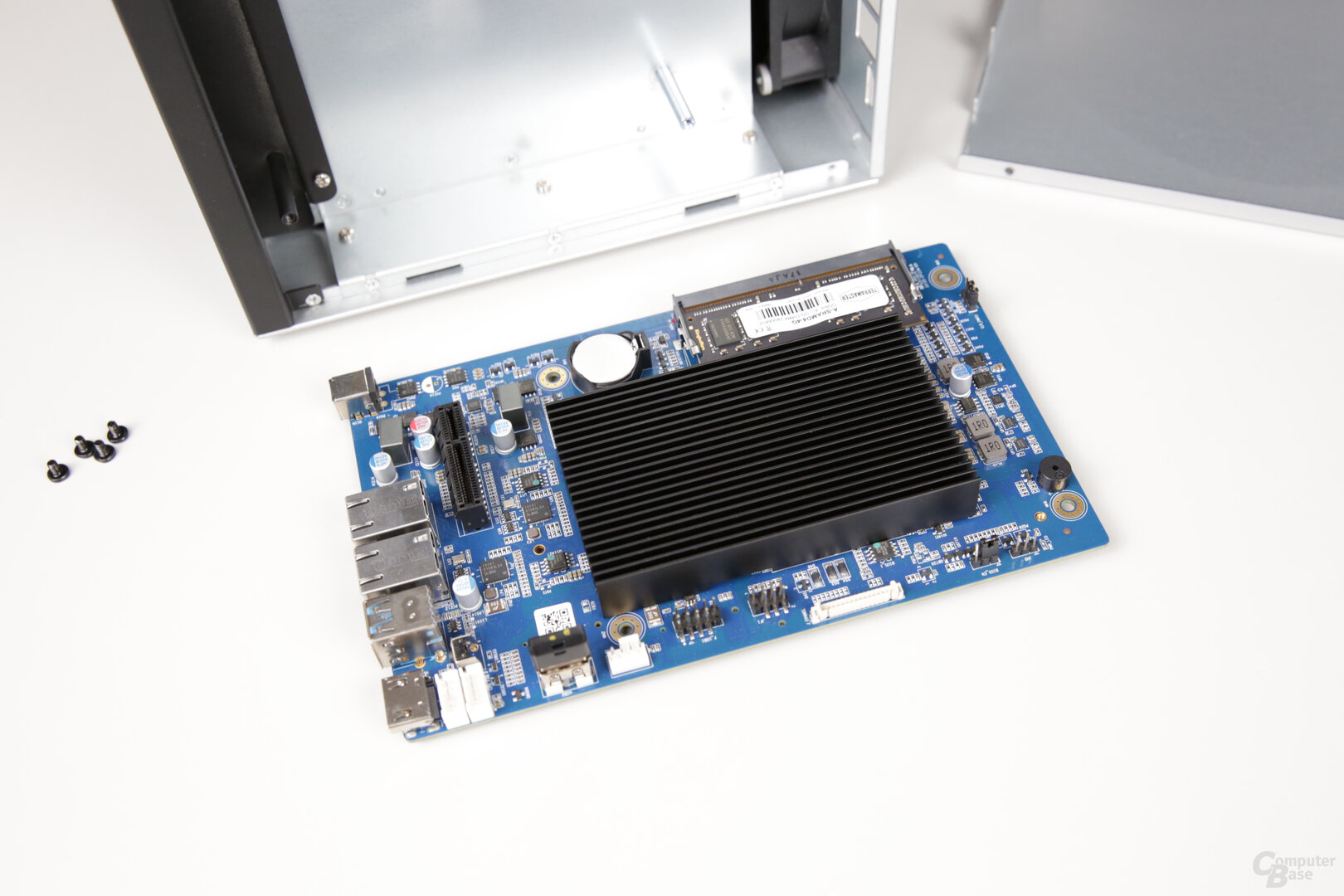
The system is structured in such a way that – viewed standing – the six drives are on the left, three each at the top and bottom, and the circuit board with the processor, main memory and M.2 slots is placed in the right chamber. This right-hand chamber is almost completely separated from the drives by a metal plate and, unlike the wall with the HDDs, has not been provided with ventilation slots on the outside either. The NAS is cooled by two 80 × 80 × 25 mm fans on the back, which sit right behind the hard drives. In this way they are cooled very well, but the circuit board and the large passive cooler on the Intel Celeron only get very little air.
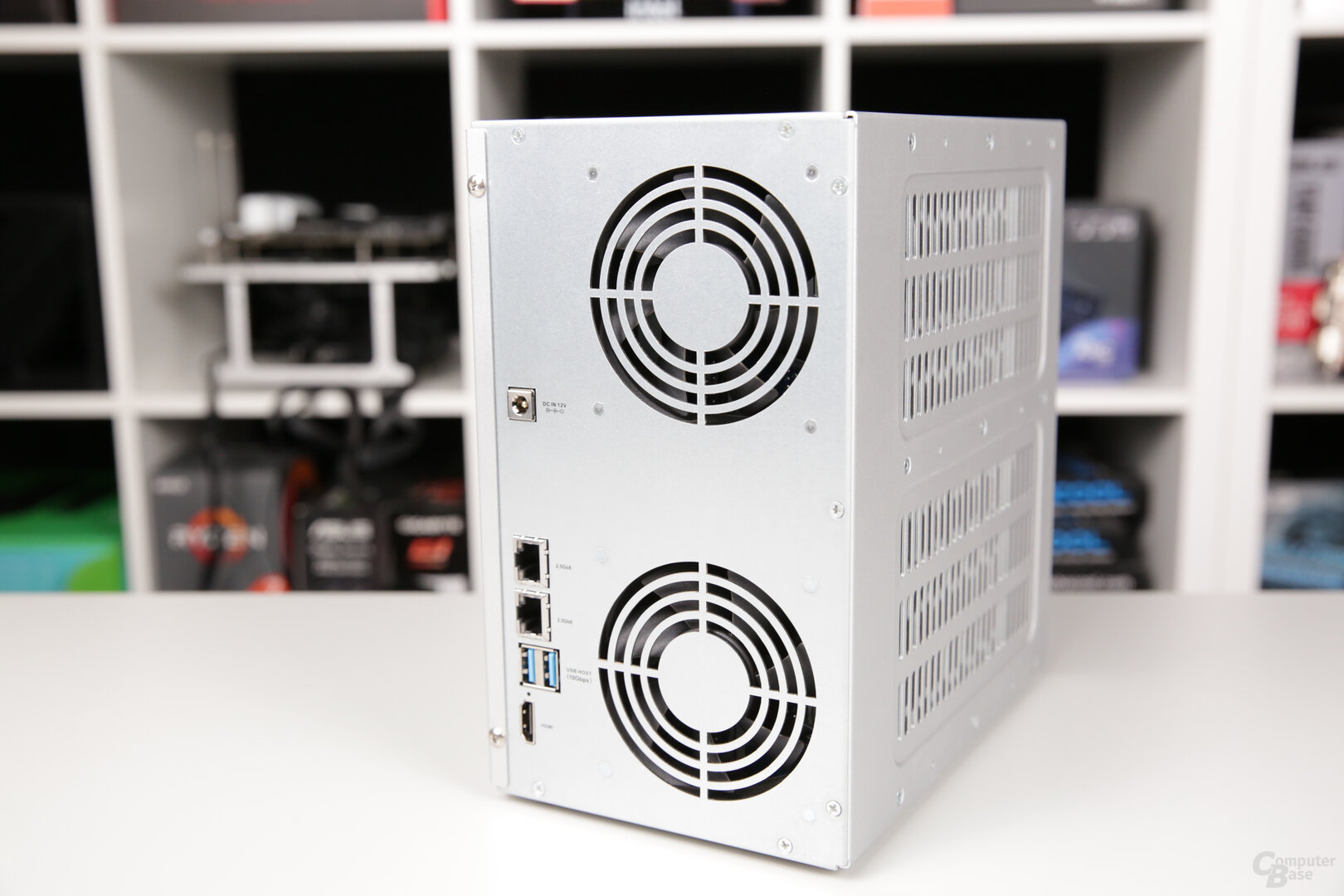
M.2 SSDs overheat quickly
In the test, this means that the Seagate IronWolf 510 SSDs used with 480 GB quickly reach a temperature of over 60 degrees Celsius even when idle. As soon as the system is loaded, the temperature of the first M.2 SSD increases to 70 degrees Celsius and more. The T6-423 draws attention to this from 65 °C with a warning (“hard disk overheated”) and an alarm tone, but does not indicate which hard disk has become too hot. This can only be checked manually in the web interface by looking at the values of each hard disk individually. As a rule, SSDs throttle from about 70 degrees and their performance is severely limited.
The fans in the T6-423 are unimpressed by the high SSD temperatures and continue to rotate at 1,500 to 1,600 rpm, since the device temperature remains at around 30 degrees and the temperatures of the SSDs have no influence on the fan speeds.
The critical increase in temperature of the SSDs in the T6-423 can almost always be prevented in everyday use, although their position on the back of the board is very isolated directly behind the massive outer wall. However, if the fan speed is changed manually from “smart” to “high”, they rotate at around 2,100 rpm and the temperature of the CPU and the M.2 SSDs drops slightly to around 54 degrees Celsius when they are not heavily loaded. If they are used normally in everyday life, they reach around 59 °C and remain below the critical value. Under long-term load, the temperature can reach 65 °C even with a high fan speed and the alarm can be triggered.
The temperature increase in this area can almost always be prevented in everyday use or at least significantly delay it, but if in doubt, do not turn it off permanently. However, the fact that you have to intervene yourself and not turn the fans faster yourself if a hard drive overheats is a bad solution.
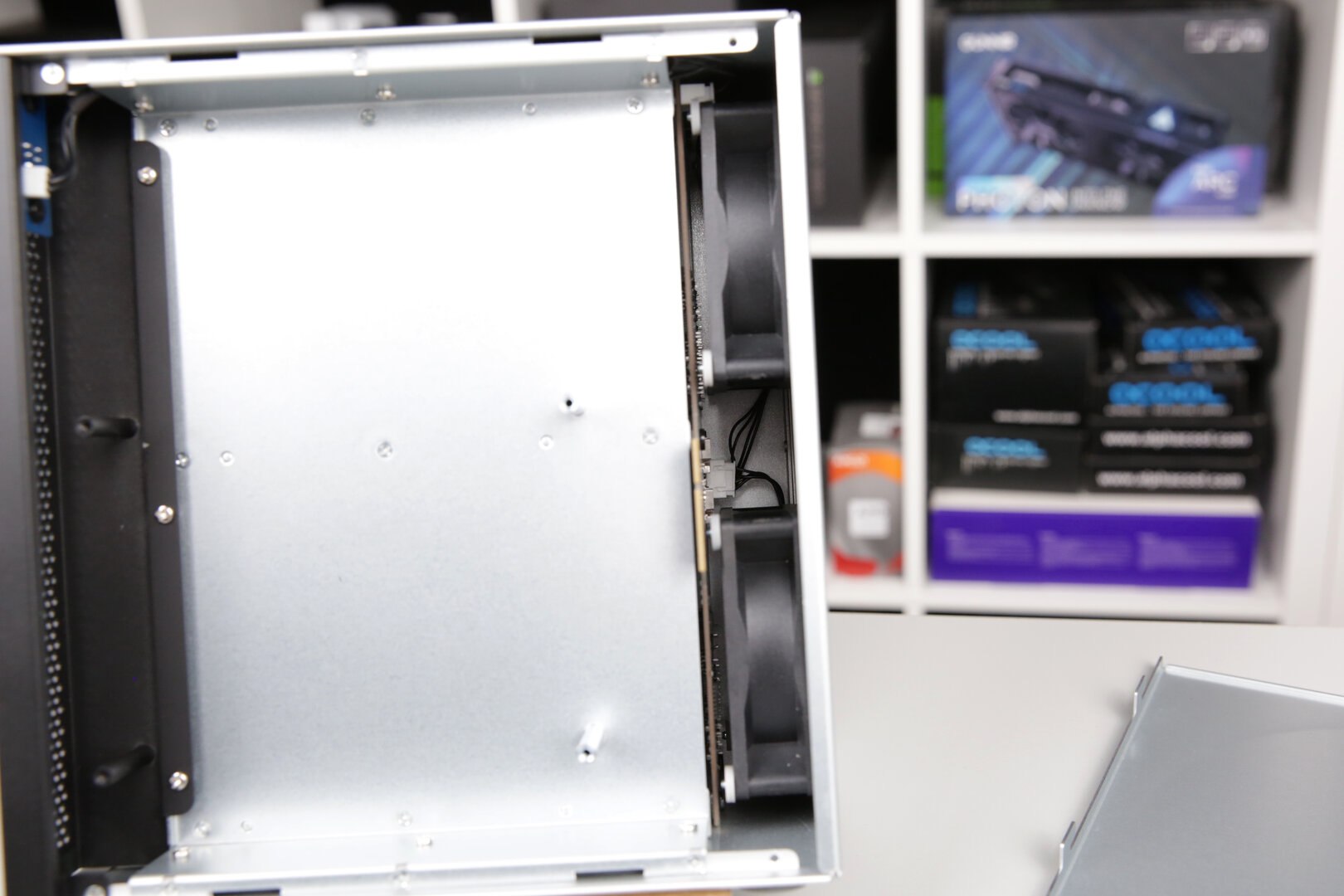
If you remove the case cover on the side, the temperature of the SSDs immediately drops to values between 30 and 40 degrees Celsius. But this is not a sensible solution. Due to the limited space in the case, it is also hardly possible to install an additional fan. The free space in the upper area to let a fan blow onto the board from above is less than 4 cm wide, and behind the board you only have a few millimeters to the cover. But three fan slots on the mainboard would still be available for this.

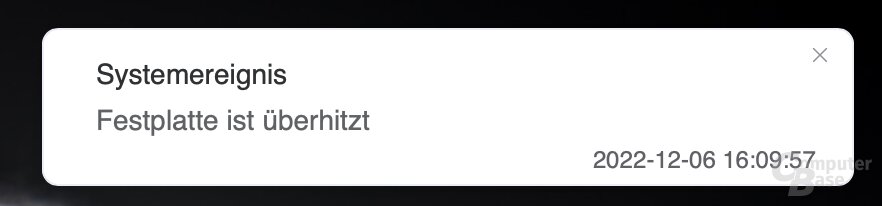

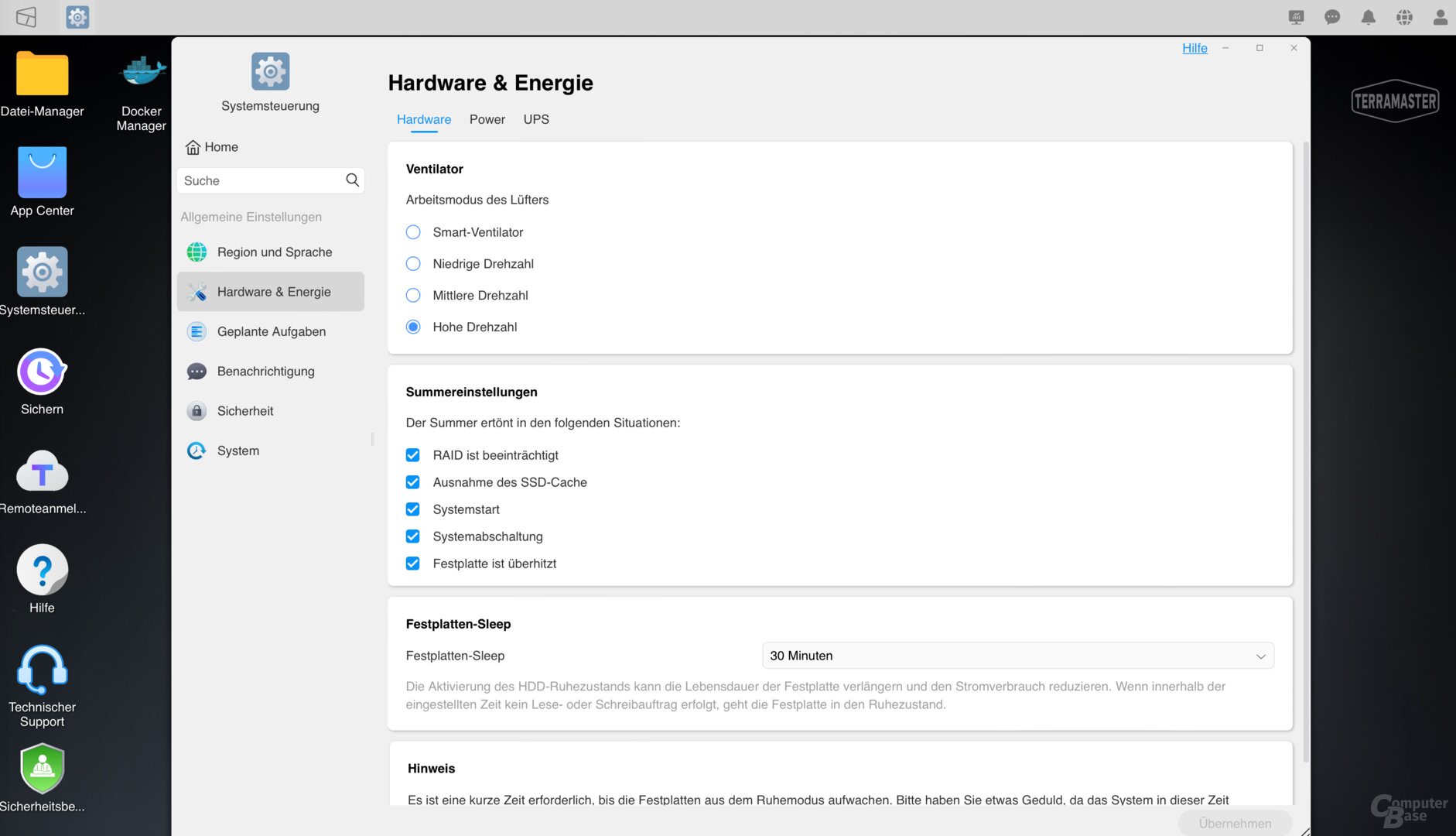
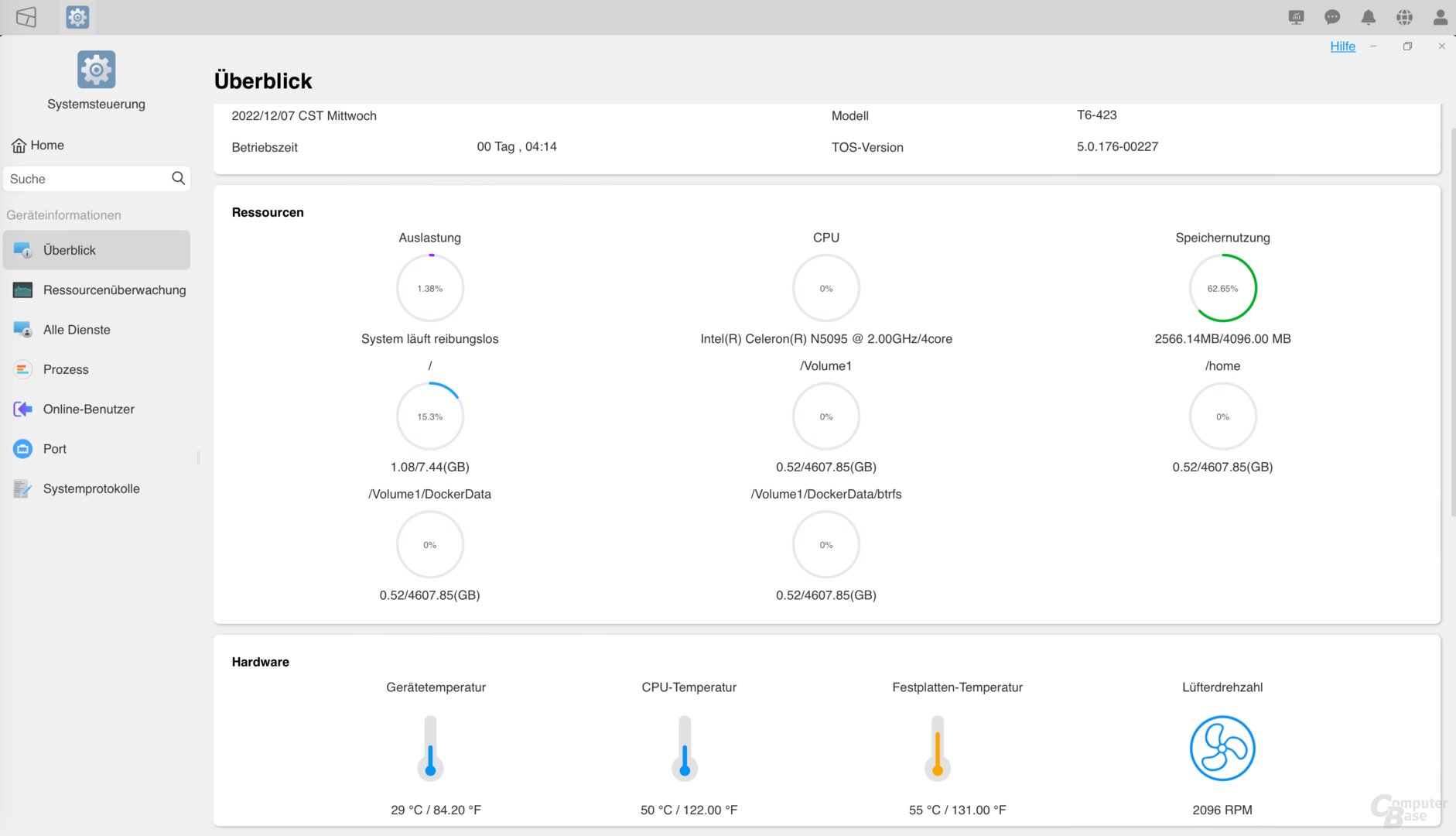
TerraMaster recommends using M.2 SSDs with a heat sink or, alternatively, as described, manually setting the fan control to high.
Intel Celeron N5105 and 4GB RAM
As mentioned, a passively cooled Intel Celeron N5105 or N5095 from the Jasper Lake family is used as the processor, which offers four cores clocked at 2.0 GHz. It does not have hyper-threading, so it does not provide any additional threads. The maximum turbo clock frequency is 2.9 GHz, the TDP of the 10 nm processor is 15 watts. Drive encryption is accelerated using AES-NI. The Intel Celeron N5105/N5095 is a popular model for NAS systems; QNAP uses it in the TS x64 series, for example. Due to the separate construction in the T6-423, the CPU quickly warms up to over 60 degrees Celsius, but this did not cause any problems in the test.


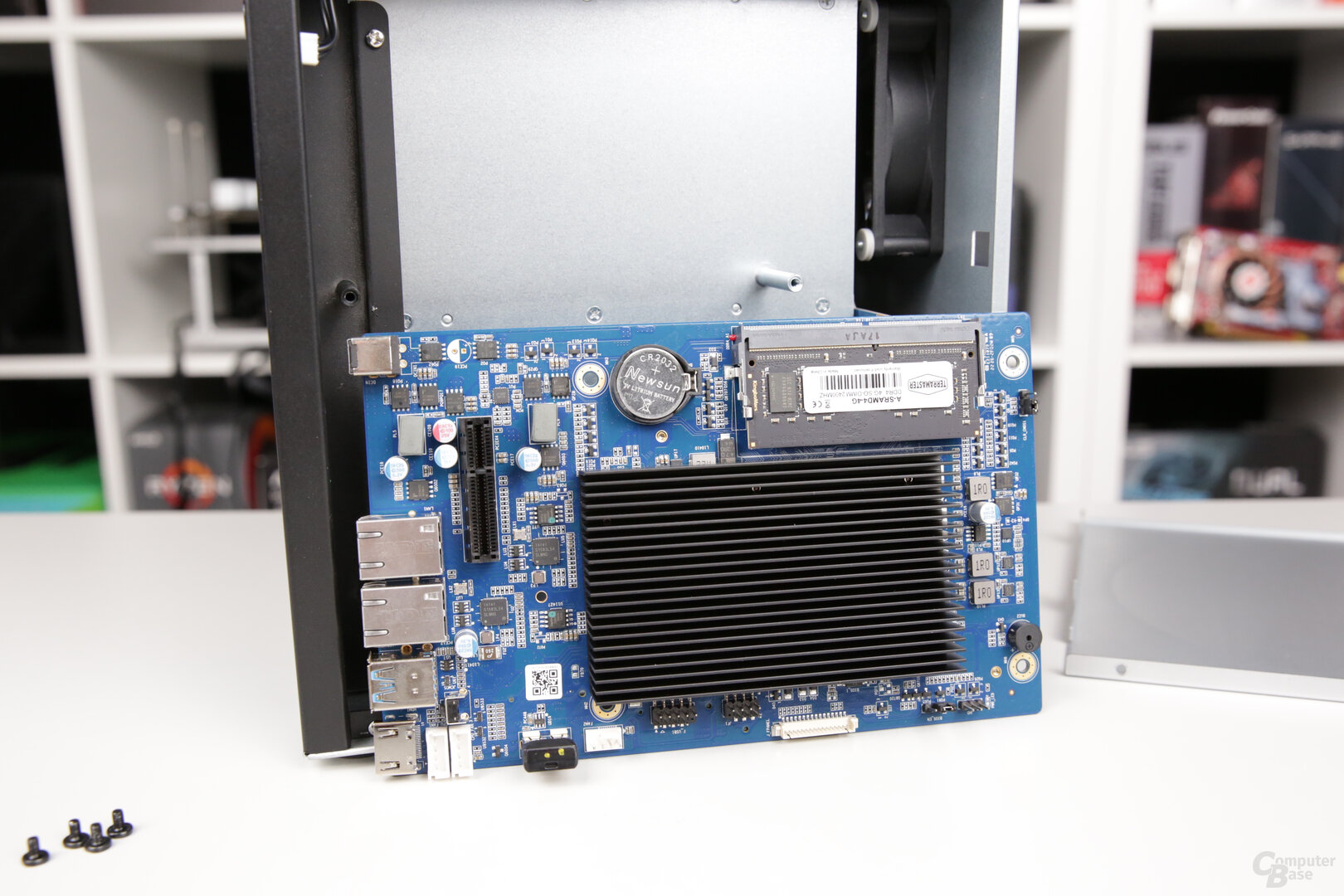
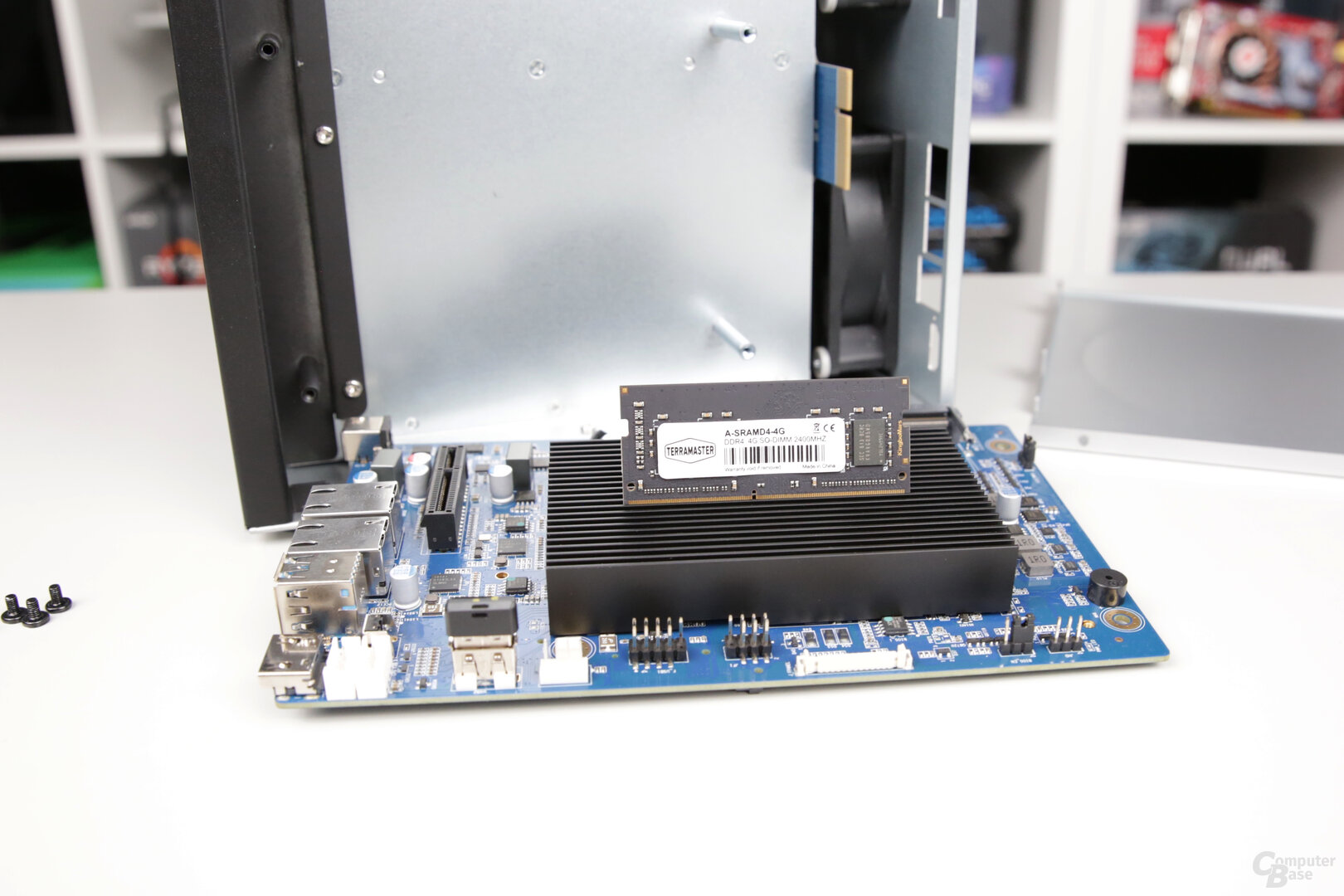
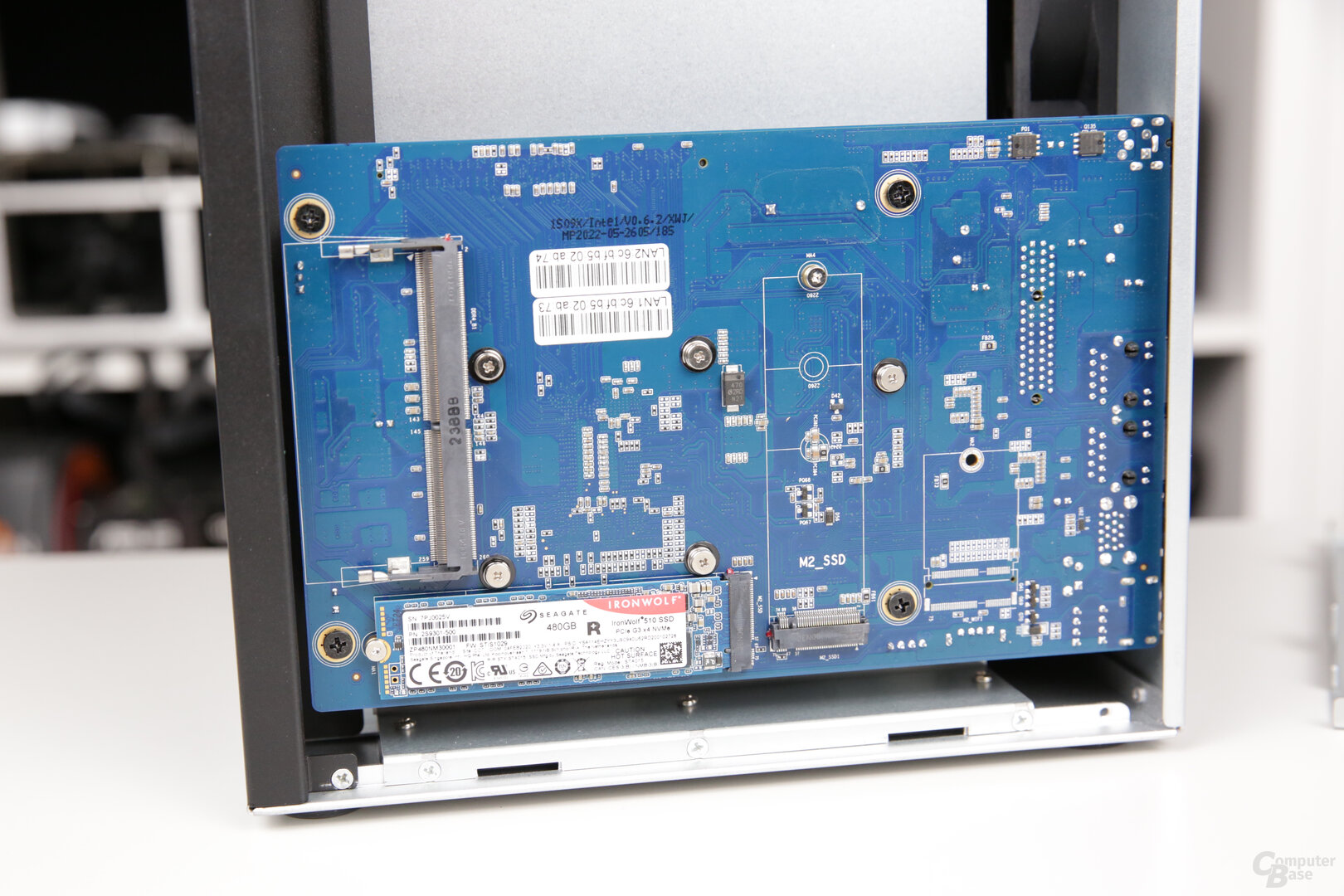
The factory installed 4 GB DDR4 SO-DIMM clocks at 2,400 MHz, the platform also officially supports memory with 2,933 MHz. The memory does not offer its own error correction. It can be expanded upon request. A single module is installed ex works, which can be supplemented with a second one or also replaced. TerraMaster states that two 16 GB modules can be installed for a maximum total of 32 gigabytes of RAM. Intel states 16 GB as the maximum for the Celeron N5095.
To install a second module, the side of the NAS must be opened using the two screws on the back. The RAM slot is then freely accessible on the back of the board, where the M.2 slots are also located. The factory-installed module, on the other hand, is placed on the inside of the circuit board. In order to exchange it, the circuit board must first be removed.

TerraMaster T6-423 TerraMaster F4-423 Synology DS923+ SoC: Intel Celeron N5105
x86
2.00GHz, 4 core(s), 4 thread(s) AMD Ryzen R1600
x86
2.60 GHz, 2 core(s), 4 thread(s) RAM: 4,096 MB Hard disk bays: 6 4 S-ATA standard: I/II/III HDD format: 2.5" & 3.5″ RAID Levels: Single Disk, JBOD, RAID 0, RAID 1
RAID 5, RAID 5 + Hot Spare, RAID 6, RAID 10 M.2 ports for SSD cache: 2 I/O ports: 2 × 2 .5 Gbit LAN
2 × USB 3.0
HDMI 2 × 1 Gbit LAN
2 × USB 3.0, 1 × eSATA
PCIe slot Wake on LAN: Yes Encryption: AES 256 (folder-based) fans: 2 × 80 × 80 × 25 mm
(decoupled) 2 × 80 × 80 × 25 mm
(non-decoupled) 2 × 92 × 92 × 25 mm
(not decoupled) Power adapter: 120 watts (external) 90 watts (external) 100 watts (external) Dimensions (H×W×D): 226.0 × 130.0 × 218.0 mm 227.0 × 225.0 × 136.0 mm 166.0 × 199.0 × 223.0 mm Empty weight: 3.90 kg 2.30 kg 2.24 kg Price: €699.99 €499.99 from €612
6 HDDs without any screws or clamps
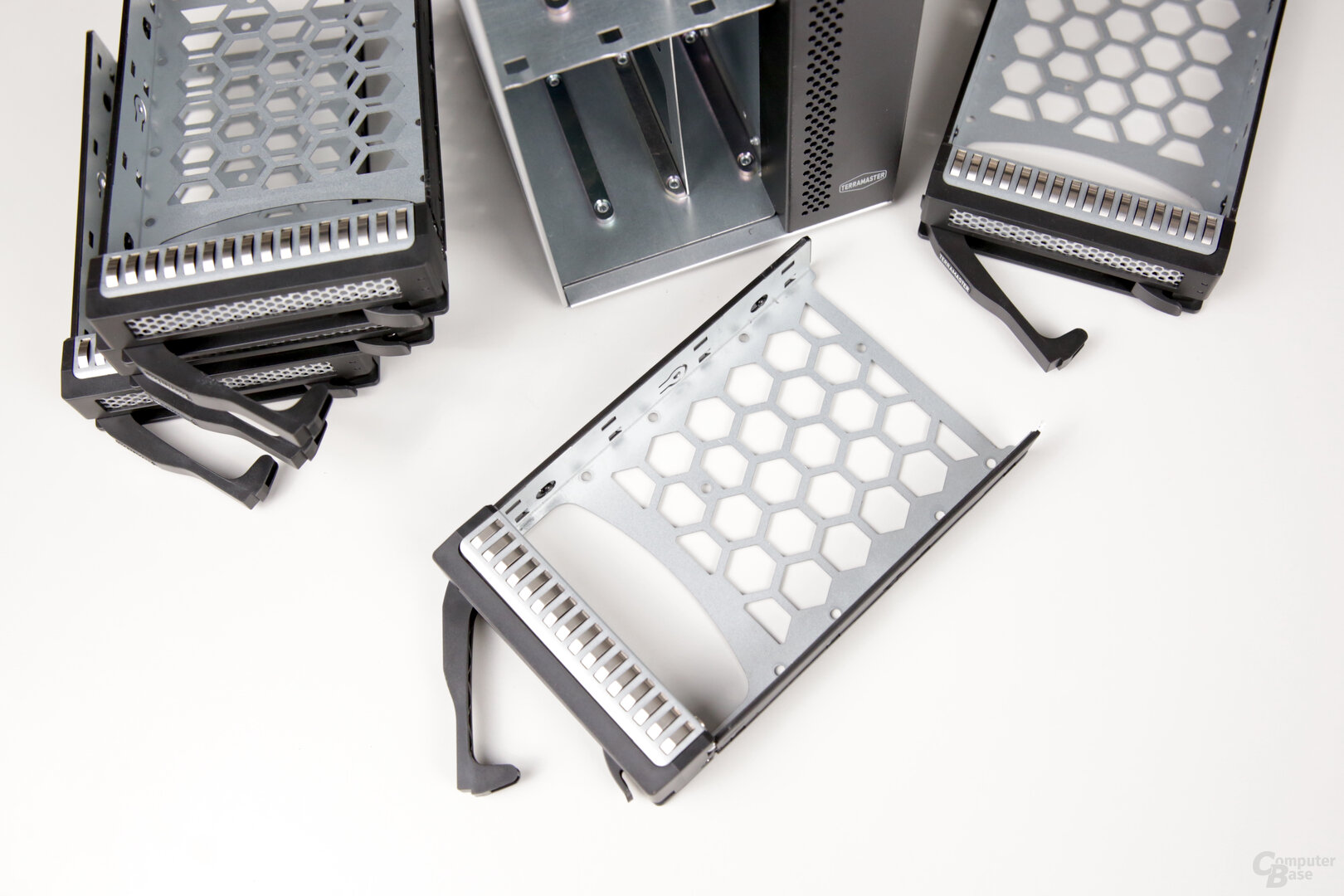
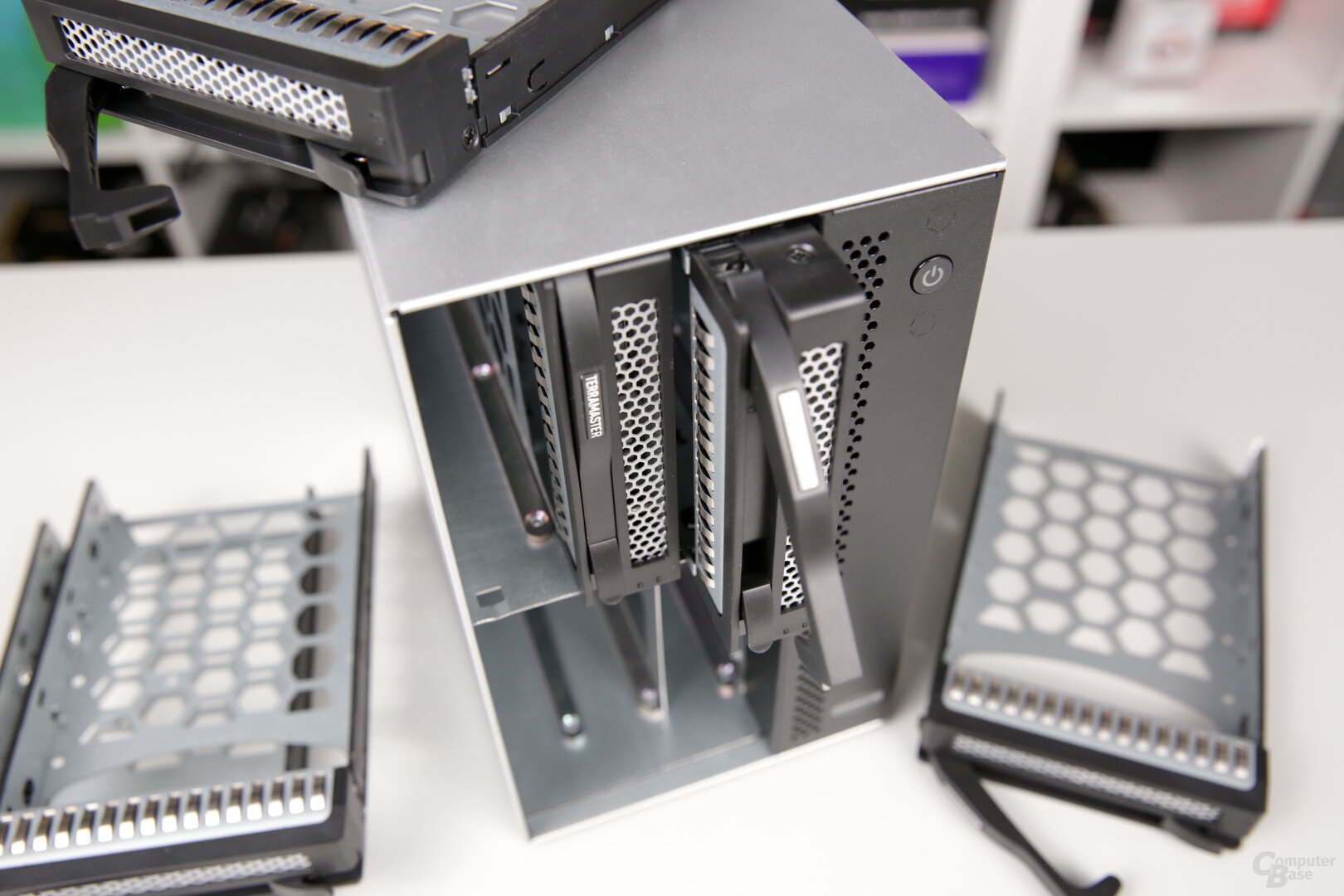
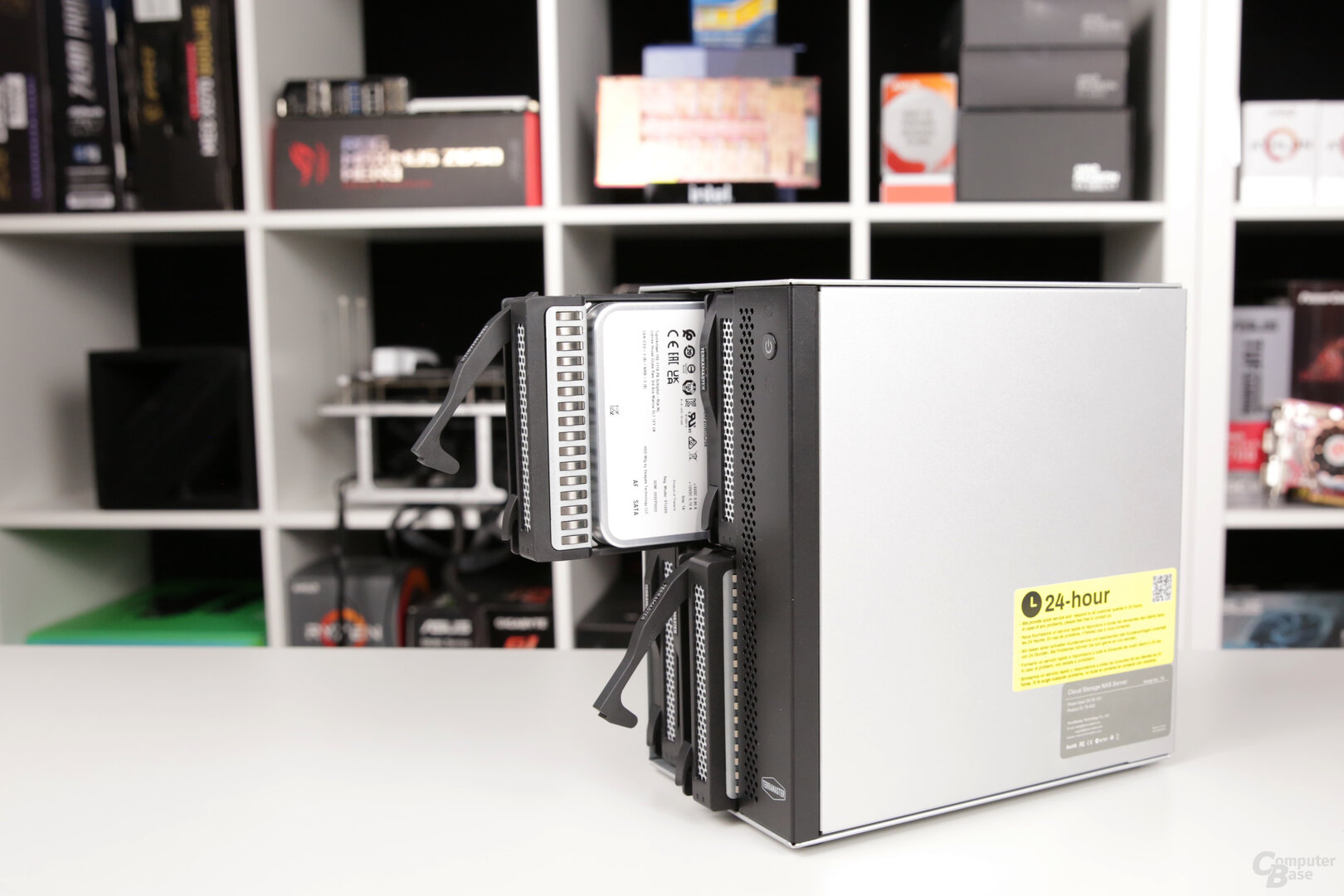
Six classic hard drives and SSDs can be installed in the TerraMaster T6-423, which can be in 3.5 or 2.5 inch formats. If you use 3.5-inch drives, they are simply placed in the drive frame and held without having to loosen and reattach the side clamps beforehand. Small plastic pins automatically fit into the screw holes, holding the drives in place enough to insert them. However, 2.5″ drives must be screwed down.
Four options for the M.2 SSDs
The already mentioned M .2 slots can only be accessed by opening the side of the NAS and removing the case panel. The M.2 SSDs in 2280 format are then screwed directly onto the circuit board.
If NVMe SSDs are used in the T6-423, you can either use them for an SSD cache or set up a storage pool with them to use them as system drives. Asustor and with the DS923+ (test) also allow the use of M.2 SSDs as a storage pool for the first time, but Synology is limited to SSDs from Synology itself.
-
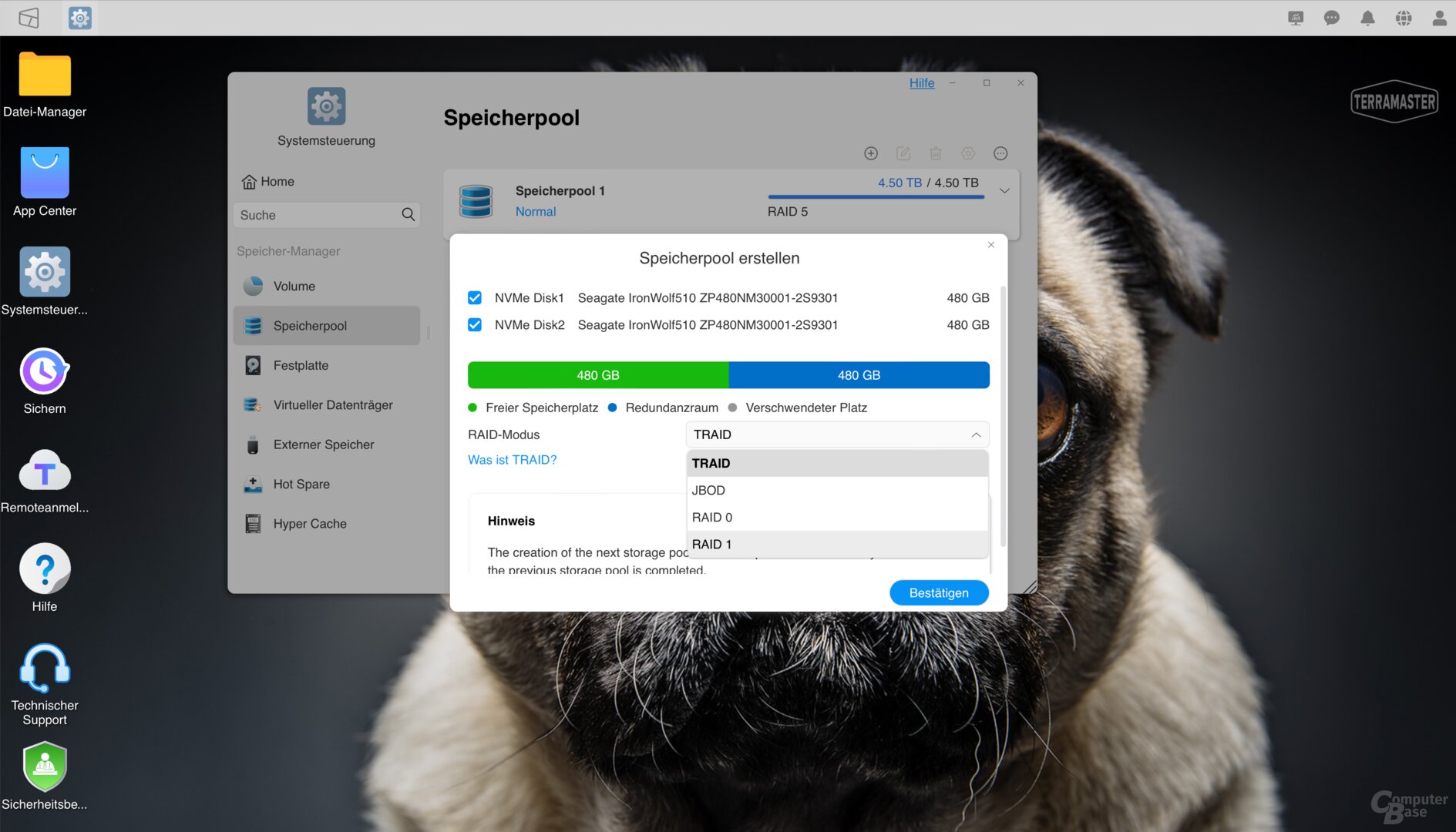

Image 1 of 6



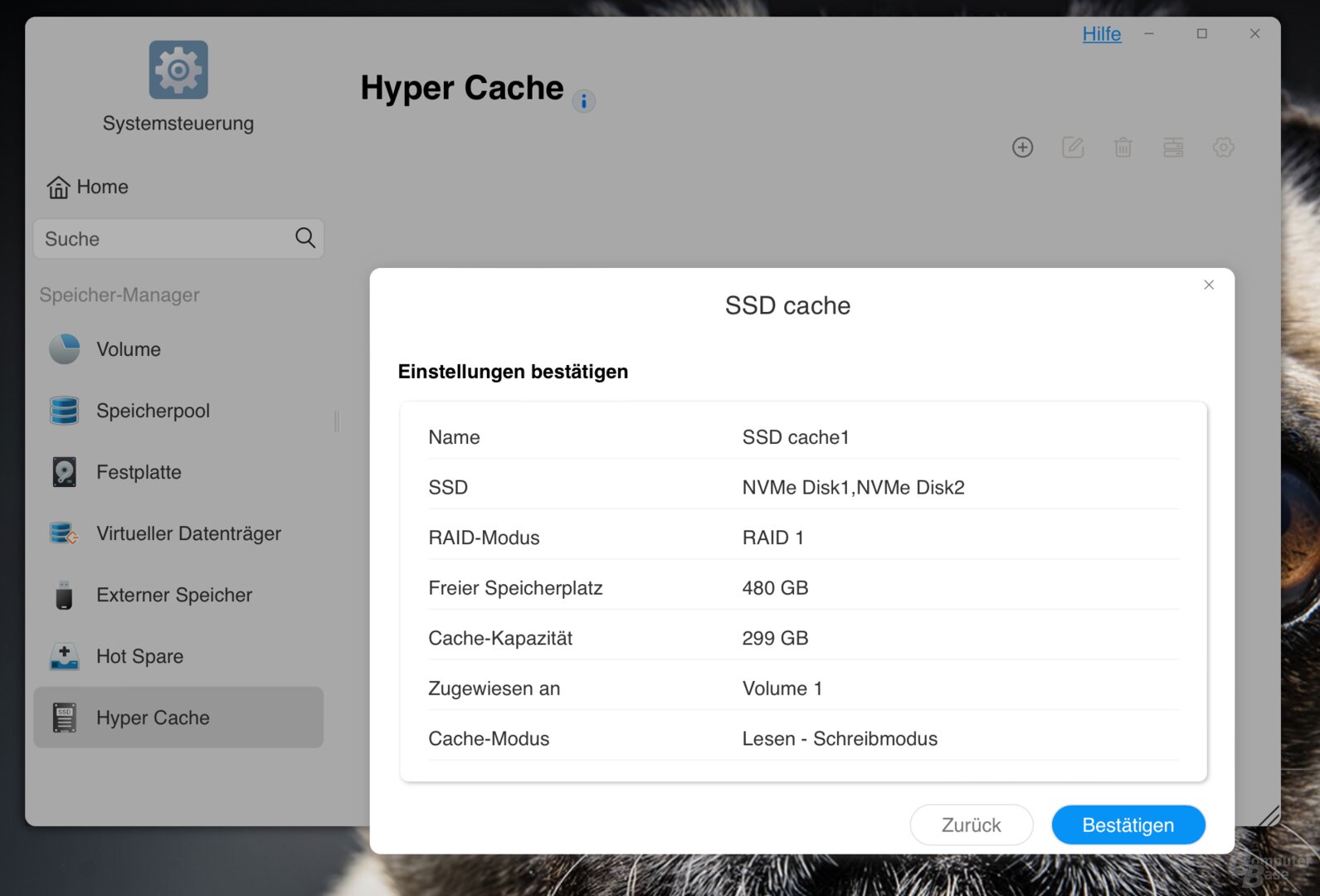

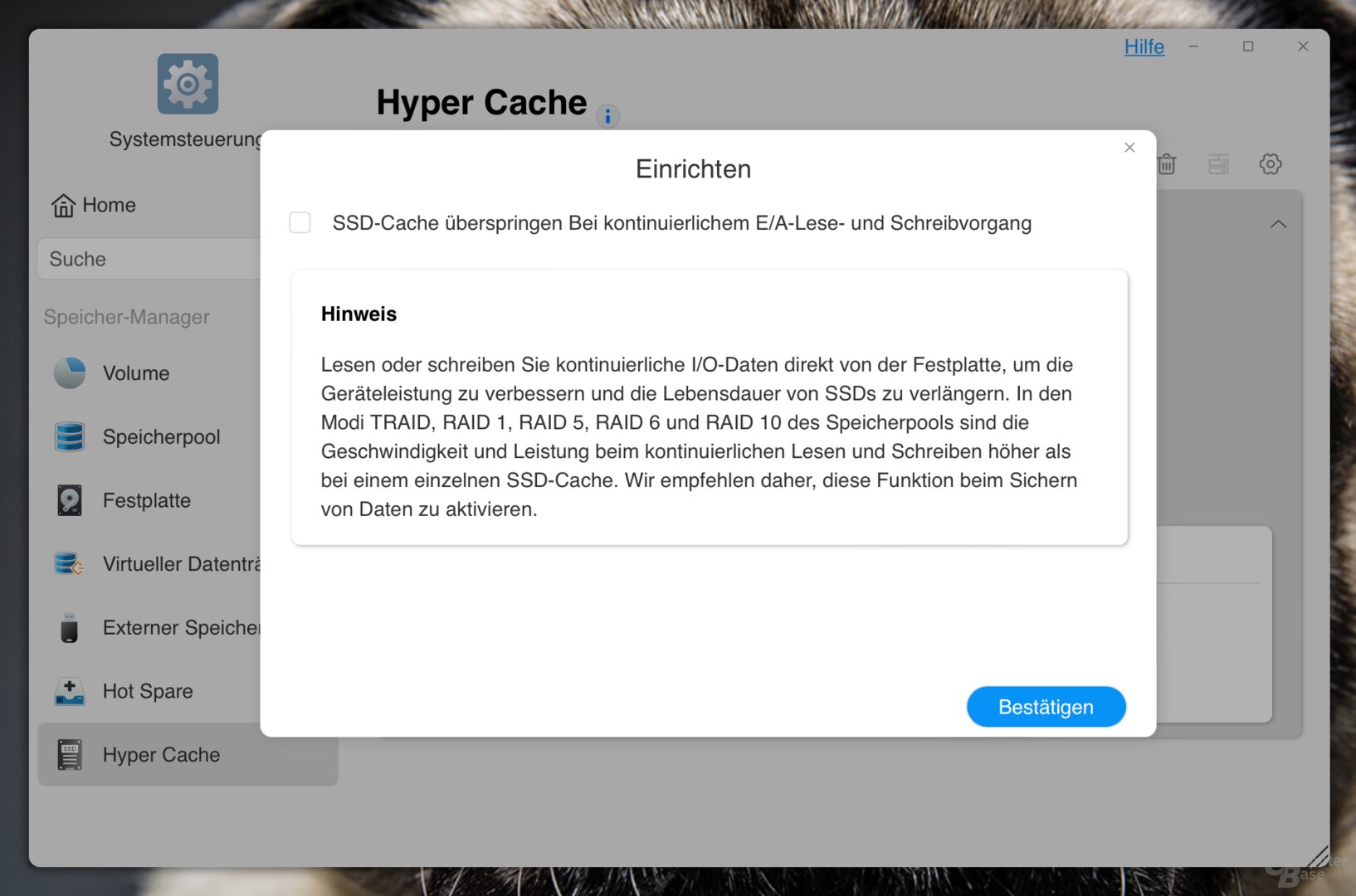
TerraMaster T6-423: SSD cache
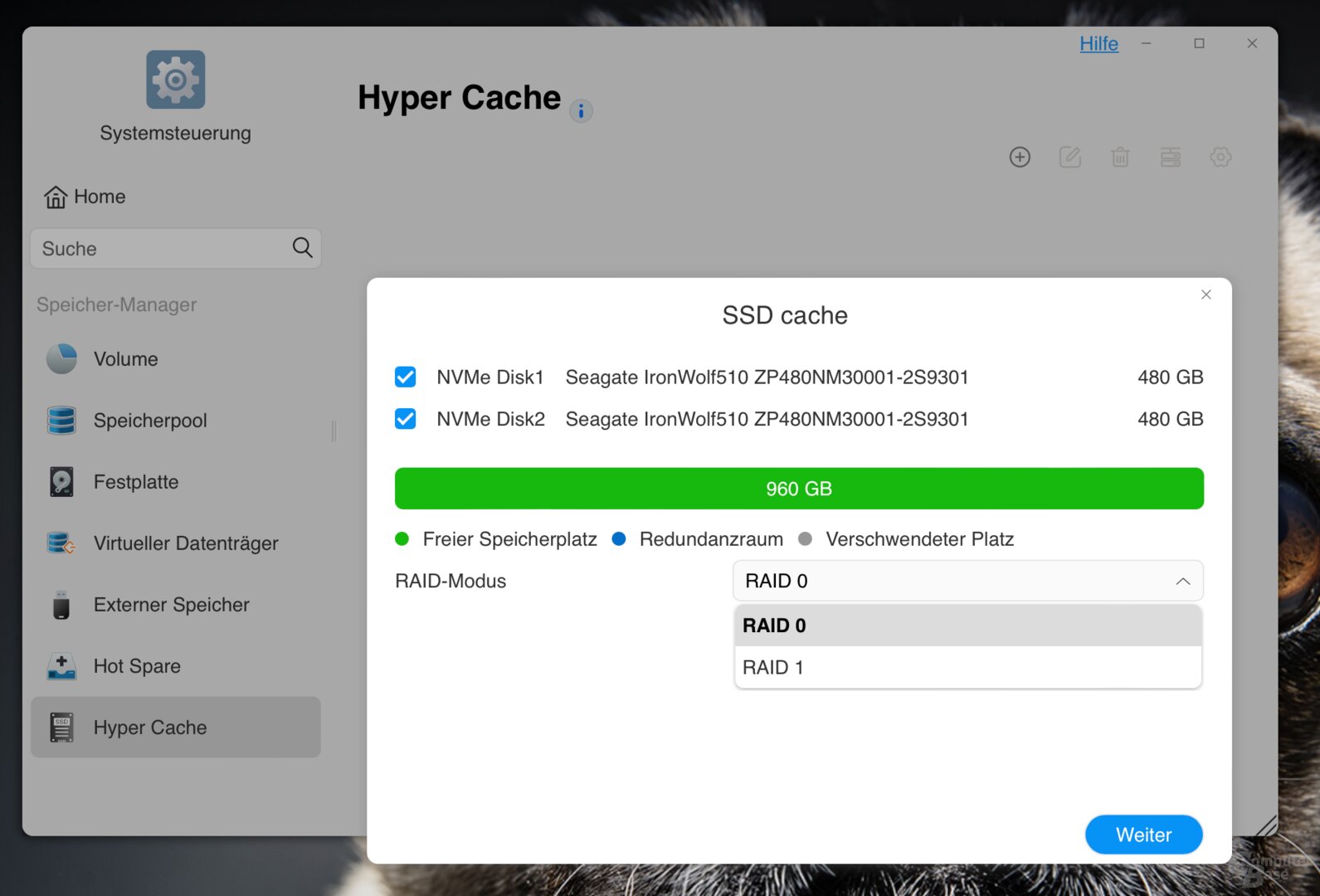
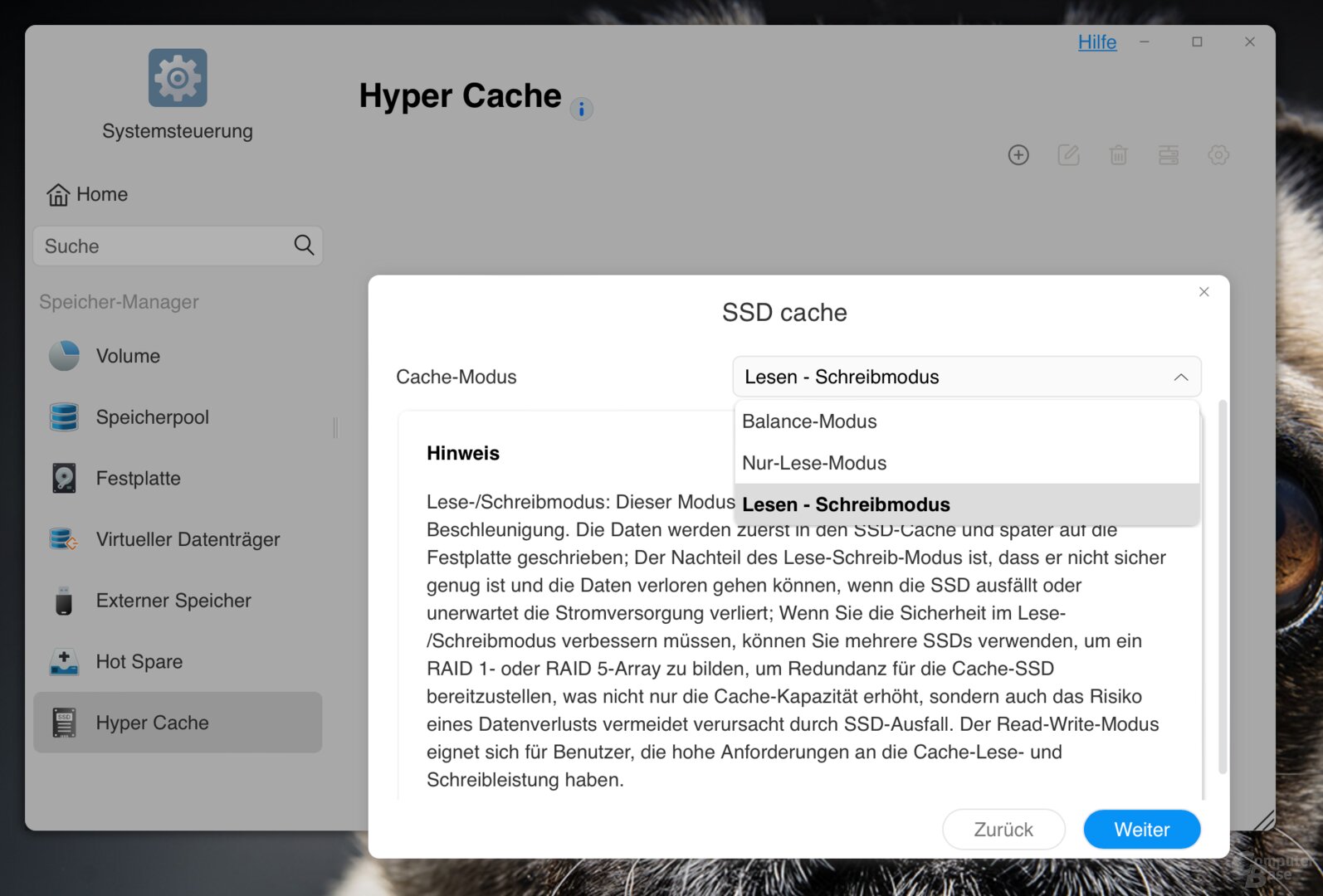
After this basic decision about the use of the SSDs, you can choose between three modes when using them as an SSD cache. The SSD cache can be configured in either “balance”, “read-only” or “read-write” mode. In balance mode, data is also written directly to the cache, but also to the hard drives. You can choose between RAID 0 and RAID 1 as the compound for the cache. In addition, a read/write SSD cache can be configured so that continuous read and write operations are carried out directly via the hard disks in order to protect the cache.
HDMI, USB, 2.5 GbE, no PCIe
All additional ports are placed on the back of the T6-423. Both USB-A ports are designed according to USB 3.2 Gen 2, so they offer up to 10 Gbit/s – the benchmarks will show how fast they are in everyday life.
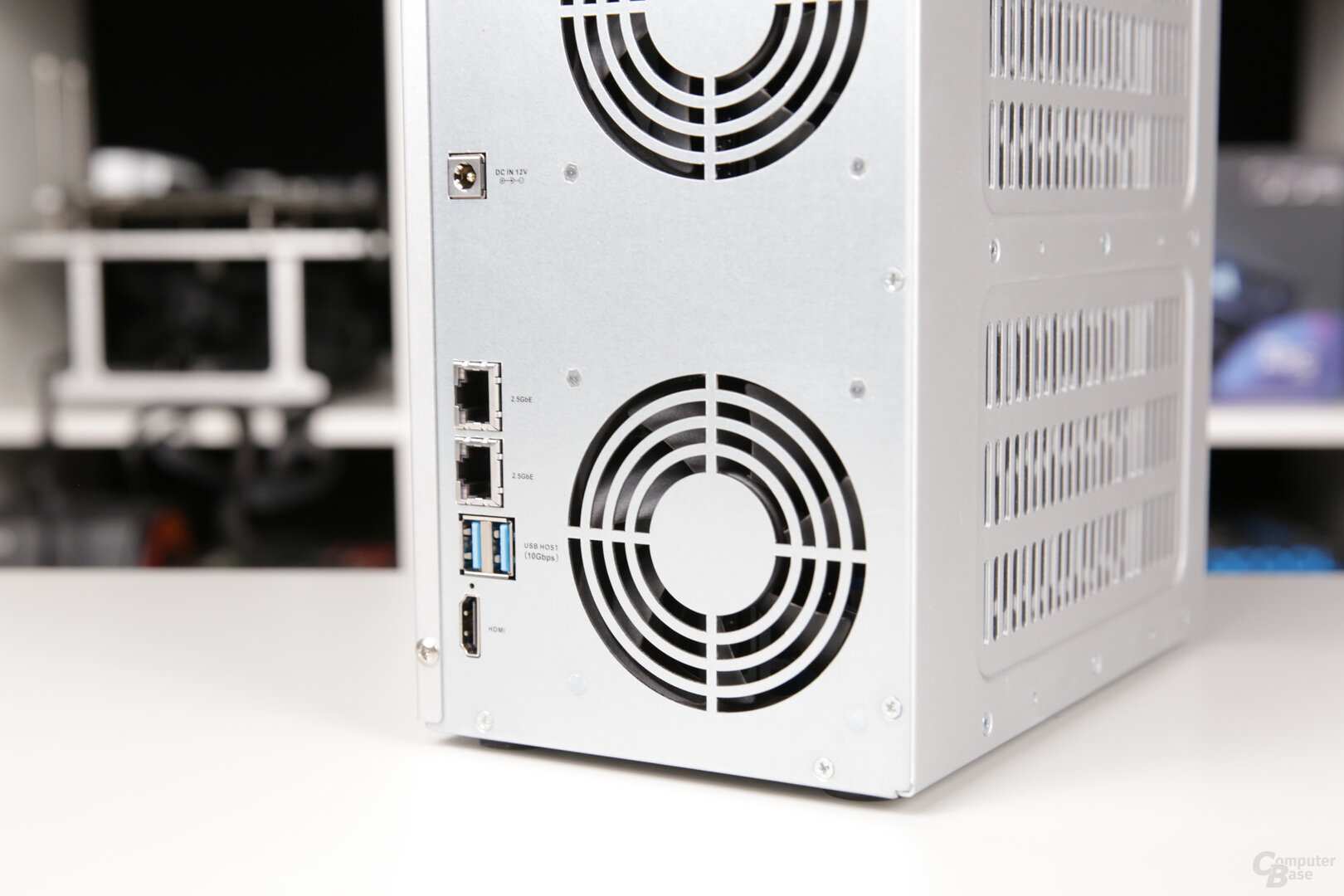
In addition, TerraMaster again installs an HDMI output that supports a maximum of 4K resolution with up to 60 Hz. If you connect a monitor to this, you can watch the boot process and the Linux terminal. With a connected keyboard, you have direct command line access to the Linux system. However, a graphical user interface doesn't start so that the HDMI output can also be used for playing videos, photos or even surfing the Internet. There is still a lack of a corresponding application on the NAS, as QNAP and Asustor have been offering for years with the HD Station and Portal, for example. The available “Multimedia Server” app is only for streaming and transcoding content stored on the NAS to other devices, but not for direct output. But Plex is also offered for this, which most people should use for this purpose.
The two 2.5 gigabit ports are also on the back. They can also be connected to form a bond via link aggregation, with a choice between Adaptive Load Balancing, which the switch does not have to support, 802.3ad, which the switch must support, and an XOR link. However, installing a PCIe expansion card to add 10 Gigabit Ethernet or additional M.2 slots is not possible in the T6-423.
TOS 5 with btrfs, WORM and virtualization
After mounting the drives and connecting the NAS with the network can be started with setup. The easiest way is to go to tnas.local from the browser to access the web interface of the TOS 5 operating system.
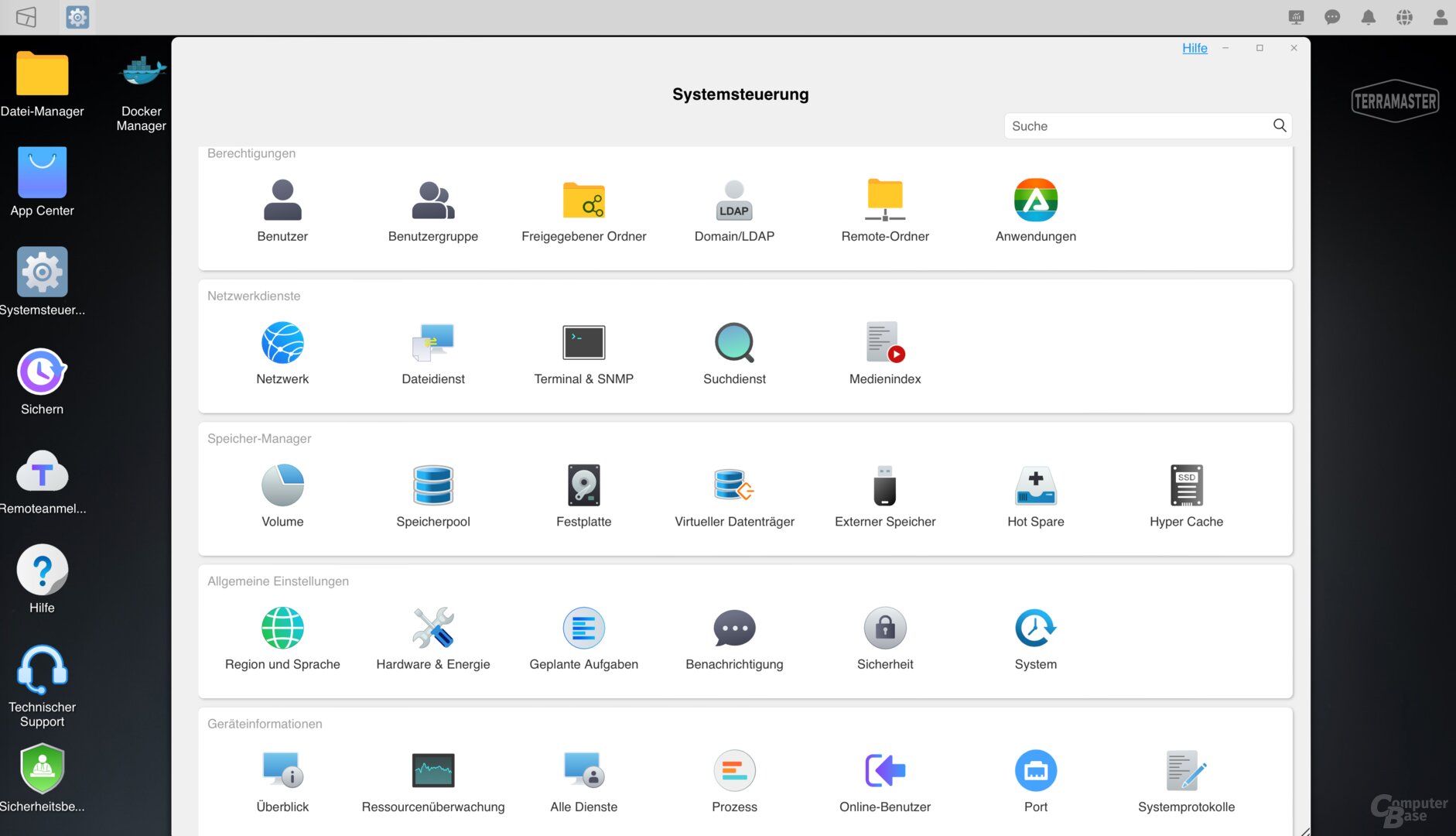
As usual with NAS, a storage pool must first be set up, whereby the user must select a suitable RAID array if there are several drives. When using four or more drives, in addition to RAID 0, RAID 1 and RAID 5, RAID 5 + hot spare, RAID 6 or RAID 10 can also be selected. It is also possible to set up multiple RAIDs, each with 2 or 3 drives. In addition to ext4, btrfs can also be selected as the file system, which is preselected. The copy-on-write file system has an implemented integrity check that increases data security and prevents data corruption. In addition, btrfs allows snapshots to be created so that deleted data can be recovered. Which RAID configuration is used is irrelevant for the available functions.
TOS 5 already supports WORM (write once, read many) folders, which Synology hopes to introduce next year with DSM 7.2. In such folders, data is protected from manipulation by preventing it from being changed or deleted for a specified period of time.

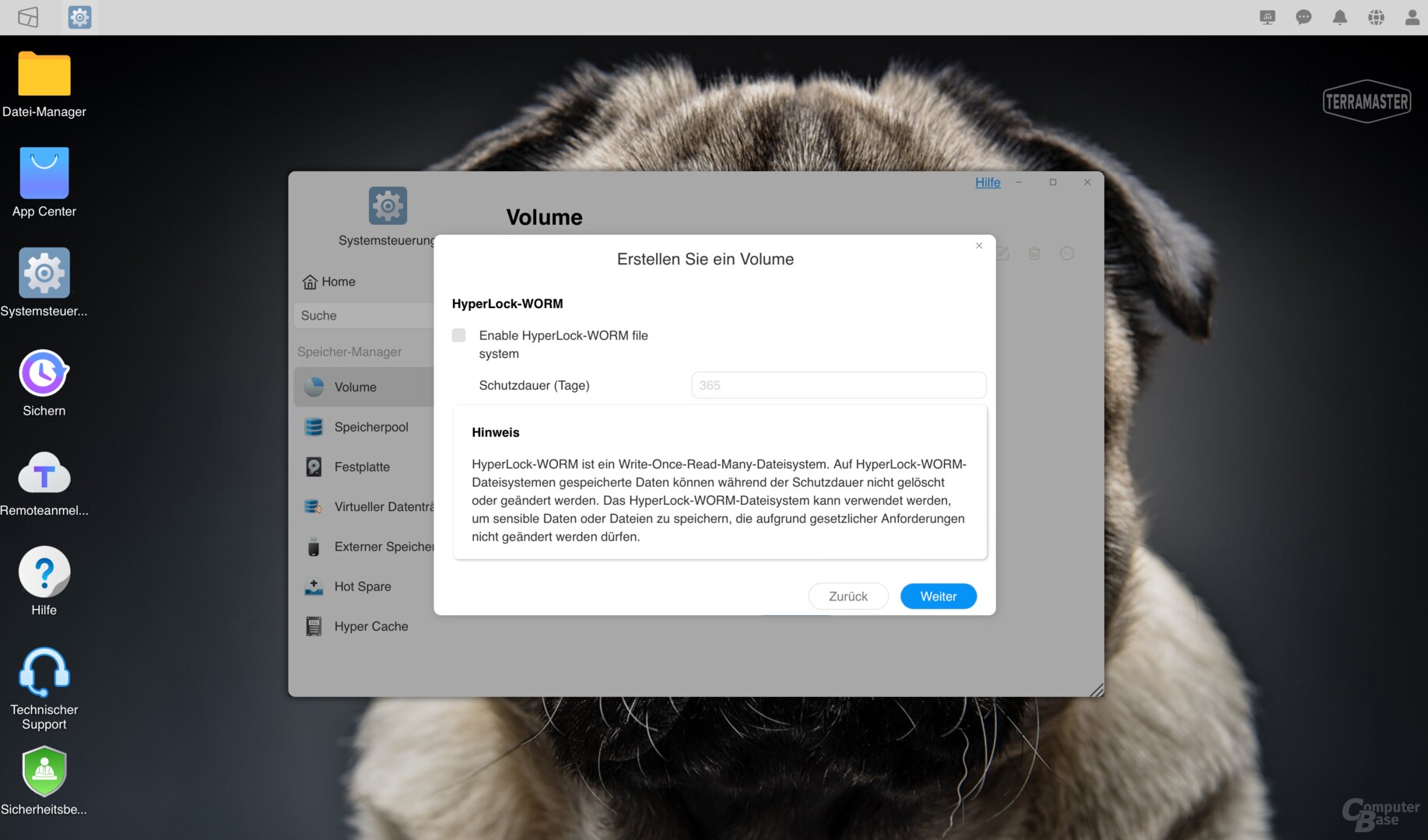
With TOS 5, the TerraMaster system has become much more accessible and intuitive, but there are still many areas that could be better solved. This starts with the fact that only one tab can be open for all menus from the control panel, so that you have to navigate back again and again, although you would like to open several functions at the same time. And if you adjust the size of the window, it will be small again the next time you open it. In addition, many windows are grayed out briefly when changes are made and when loading, until the data is retrieved or processed and then also displayed. Other systems are significantly faster here and don't take as long to wait for the display.
Even when changing the memory pool, you should give the system some time to complete the operation in the background, since otherwise you cannot create a new one immediately after deleting a storage pool.
The descriptions of the SSD cache could also be clearer. Because if you are surprised that there is no volume available for selection for the SSD cache for which the cache should be used, this can simply be because no volume has yet been created in the storage pool. You won't find this explanation at this point in TOS, you have to figure it out yourself. It's these little things that make TOS 5 clearly different from operating systems like Synology and QNAP, but add up.
App packages for expansion
Nevertheless, TerraMaster also uses many of the everyday important functions and configuration options directly in the system. If you want to use additional functionality, you can install additional software from the interface, including applications such as Docker, Git or Python or backup apps for Amazon S3 in addition to the Plex Media Server.
- < figure class="gallery__figure">
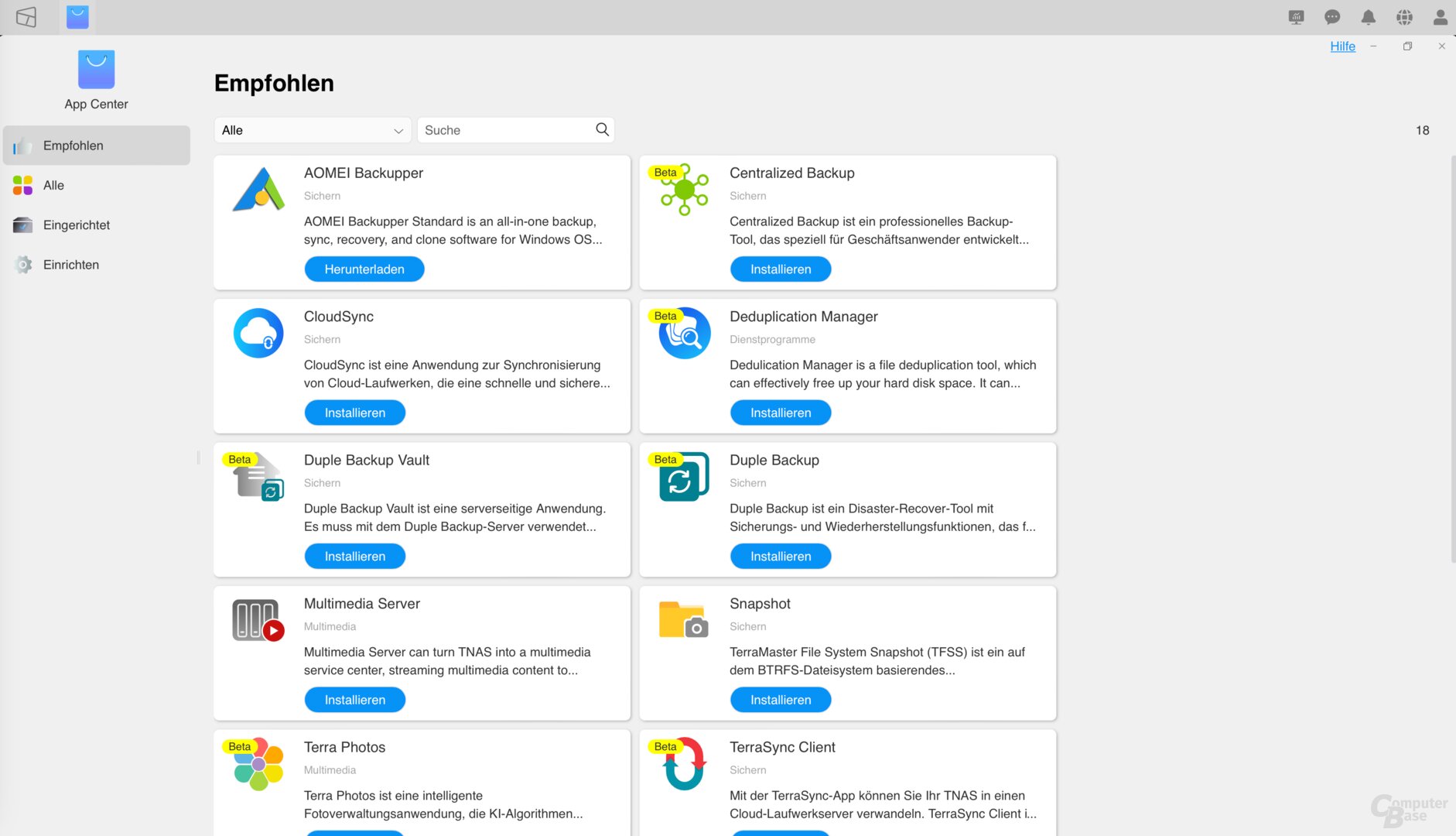
Image 1 of 7
TerraMaster T6-423: Additional packages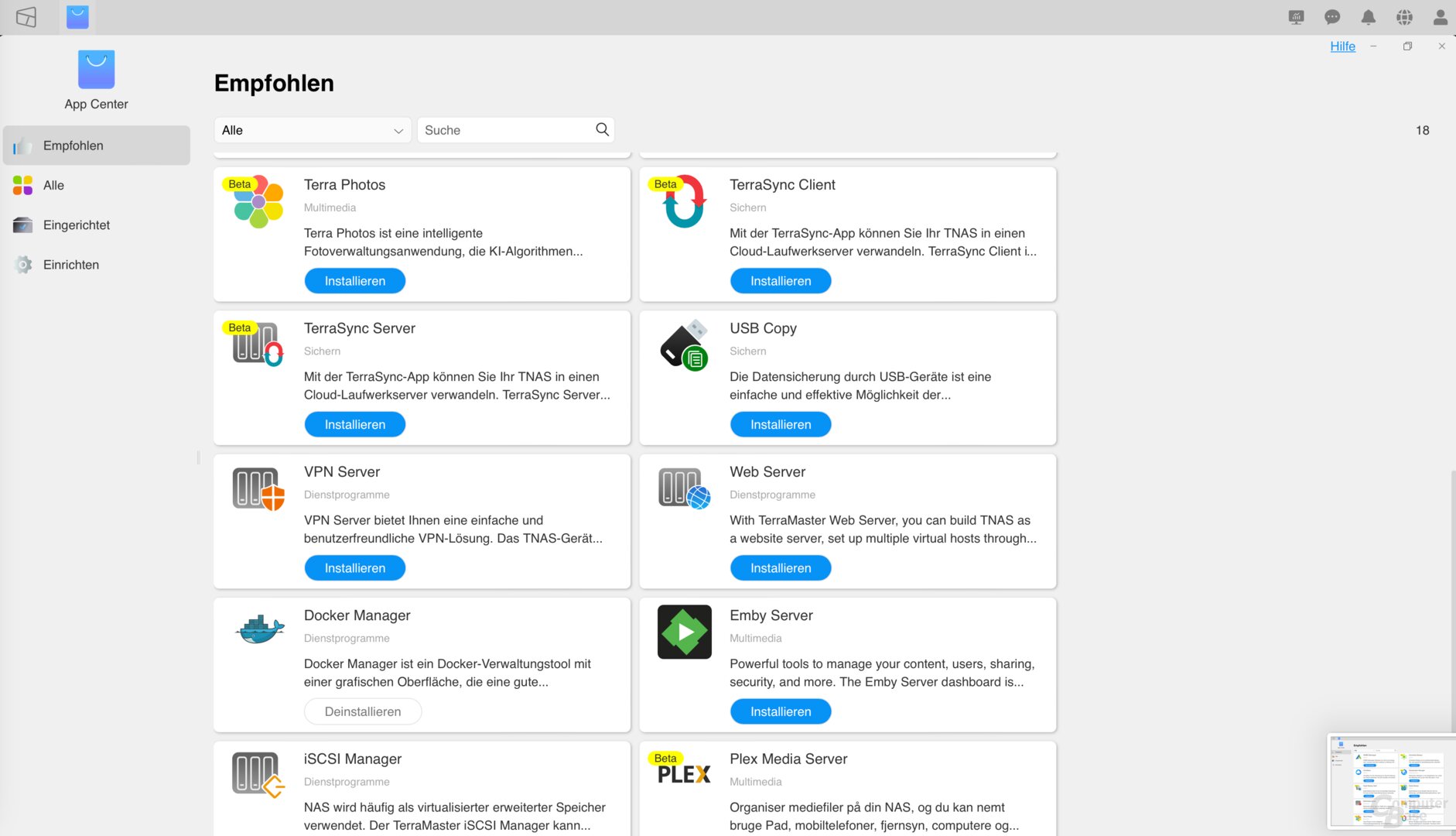
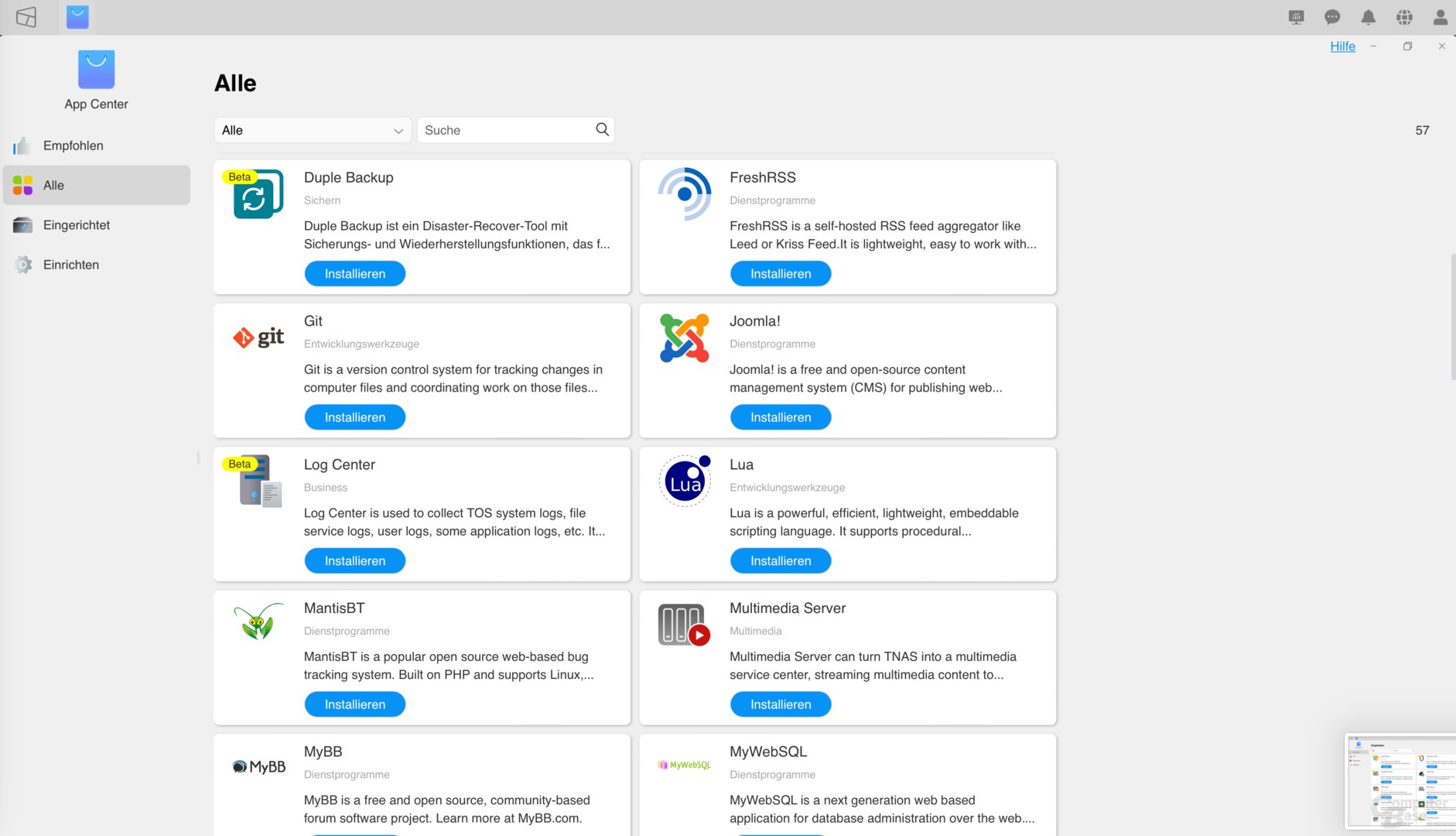
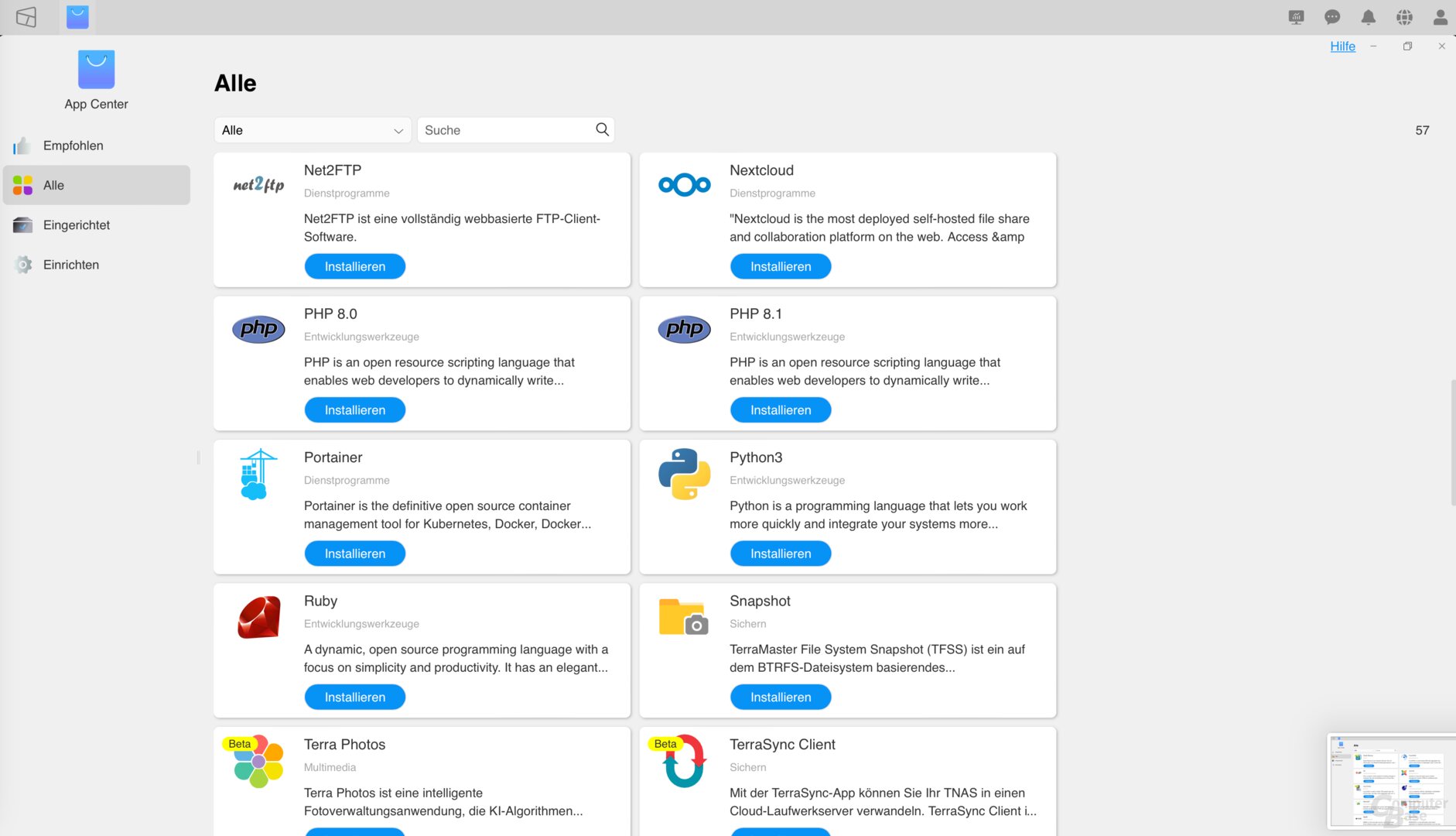
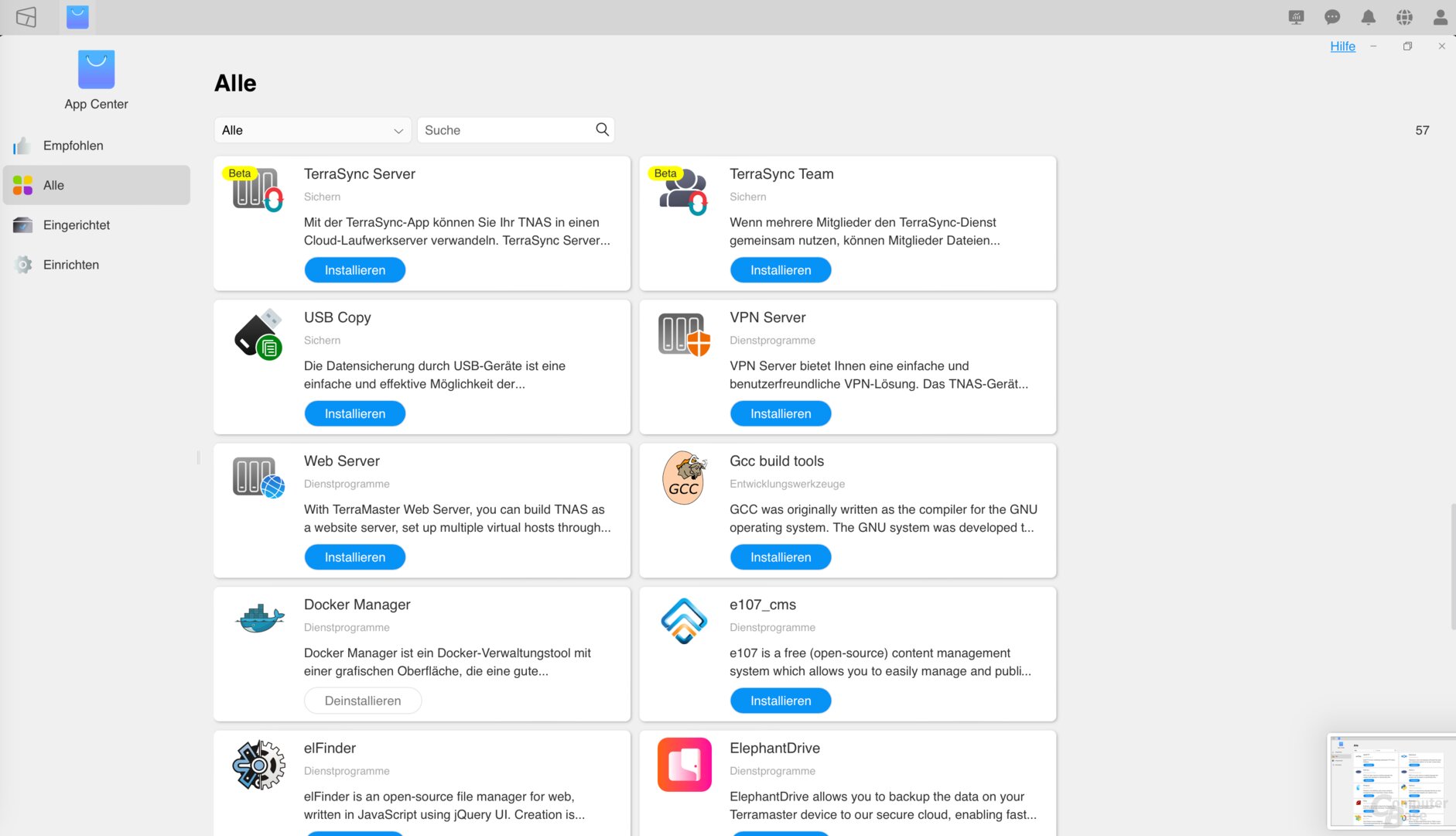
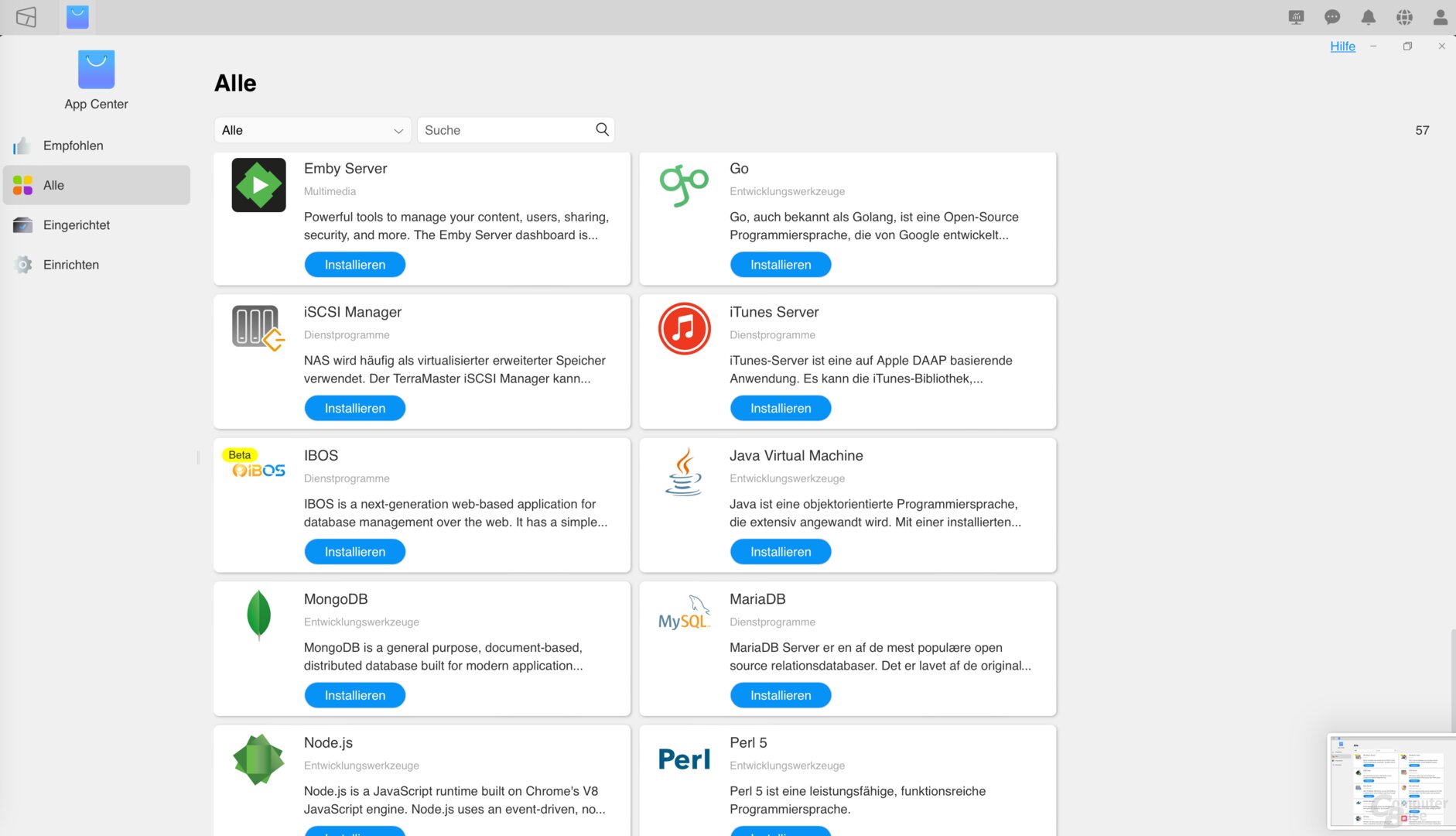
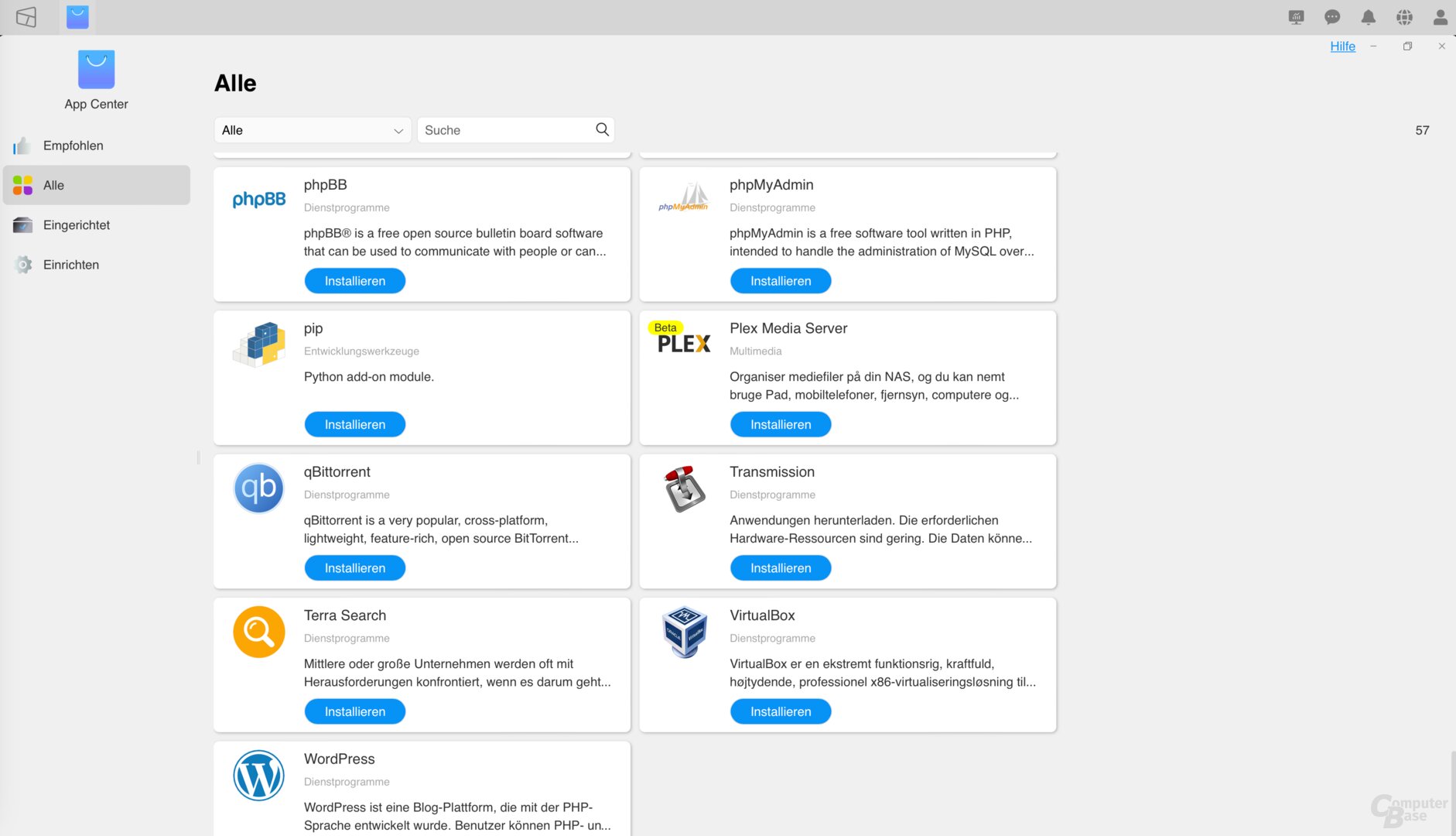
This again confirms that not all app packages are based on current application versions. Git, for example, remains at the status of November 2021, but with Python 3.10.6 and PHP 8.1 there are also more up-to-date packages available than is the case with Synology, while MariaDB as of February 2021 is even older than the November 2021 version at Synology is.
With the VirtualBox package available in TOS, virtual Linux or Windows machines can also be run on the T6-423 without forgoing the actual NAS function. In theory, however, it is also possible to install Windows or Linux directly from the NAS.
Windows via USB stick
Because TerraMaster also uses a USB stick for the T6-423, which is inside the NAS on the circuit board and contains the ROM. Hobbyists once again have an easy time using the NAS for other purposes. A USB stick with Windows setup in connection with the HDMI and external USB ports allows easy installation of Windows on the system. In the normal setup, Windows can then simply be installed on a hard disk that is used in the NAS – also on an M.2 SSD if desired.
(*) Links marked with an asterisk are affiliate links. In the case of an order via such a link, ComputerBase participates in the sales revenue without increasing the price for the customer.
Page 1/4 Next page
Transfer rates, link aggregation and USB -Backup