
The latest version 2211.40000.10.0 of the Windows Subsystem for Android (“WSA”) for Windows 11 is now also based on a current Android 13 for the first time, which, among other things, also improves performance – especially when booting – and should benefit the stability of the subsystem.
Windows subsystem for Android receives optimizations
In addition to the use of the latest Intel Bridge Technology for Android 13, which serves as the basis for the Windows subsystem for Android and is an integral part of the emulation layer alongside the Intel Accelerated Execution Manager (“Intel HAXM”), flow numerous improvements in the WSA v2211.40000.10.0.

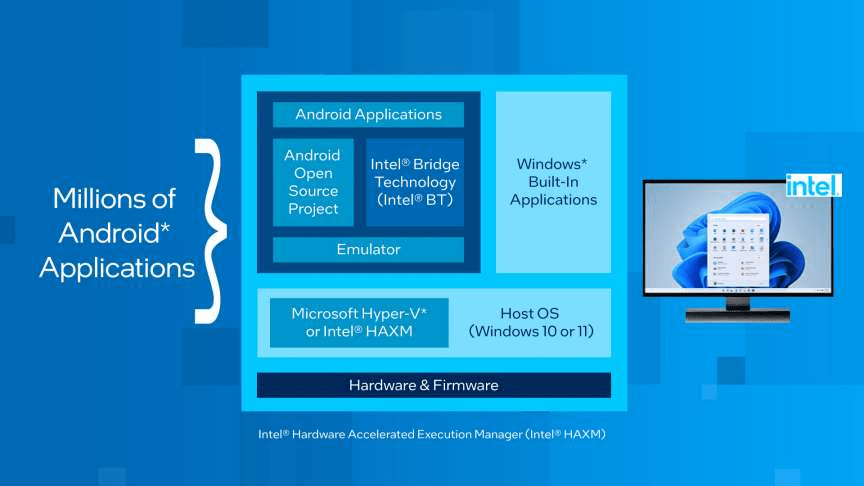
The official release notes list the following new features for the latest release:
- Updated Windows Subsystem for Android to Android 13
- Added a new command wsaclient.exe /shutdown, which automatically shuts down Windows Subsystem for Android
- Windows Subsystem for Android gets jumplist entries for applications that support app shortcuts
- Improvements in application (app) resizing (scaling)
- Improved reliability when opening media files in Windows
- Upgrade to Intel Bridge Technology for Android 13
- Clipboard stability improvements
- Up to 50 percent improved boot performance
- Mouse click input improvements
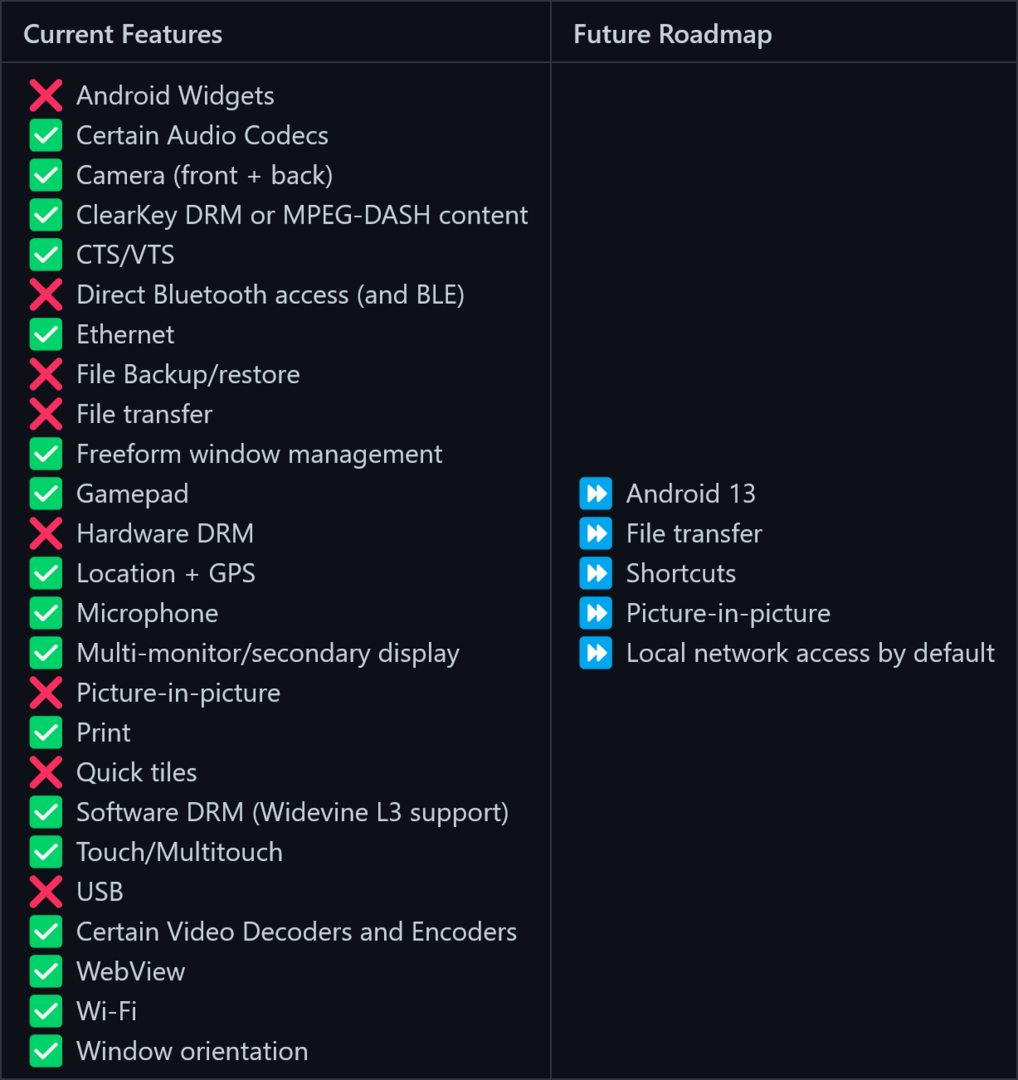
The official project page on the GitHub developer platform provides further information and a constantly updated roadmap.

Android apps have a difficult time
Apart from the third-party apps “WSATools” and “WSA Toolbox”, which act as app installers for the Android packages (.APK), the subsystem for Android outside of the USA can still only be used to a very limited extent. The selection of apps via the Amazon App Store is still very limited.